How to Achieve the Optimal Selfie Pose for AI Makeup
Learn how to master the optimal selfie pose for AI makeup to ensure natural, precise results. Discover lighting, angles, and tips for perfect application.

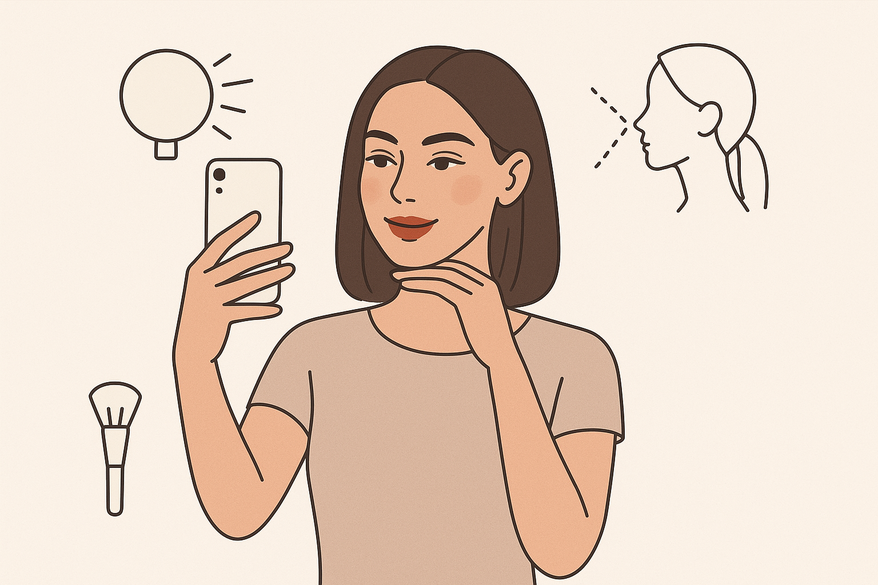
Estimated reading time: 7 minutes
Key Takeaways
- Clear, even lighting and a neutral pose remain important for accurate AI makeup mapping in 2026.
- Proper preparation (clean skin, groomed brows) helps provide AI with a good canvas for better results.
- Subtle head tilts and the right camera height can help define your best angles without distortion, with some AI pose detection feedback available.
- Simple troubleshooting—like adding fill light or adjusting landmark points—can resolve common issues more easily due to improved app interfaces.
- Practice and feedback may help you discover your personalized selfie pose for natural-looking virtual makeup, supported by evolving AI analysis tools.
Table of Contents
- Introduction
- Understanding AI Makeup Tools
- The Importance of the Optimal Selfie Pose for AI Makeup
- Step-by-Step Guide to Finding the Optimal Selfie Pose
- Conclusion
- Additional Resources
Introduction
Achieving the optimal selfie pose for AI makeup in 2026 involves positioning your face and camera to leverage advances in artificial intelligence for makeup mapping and enhancement. Modern AI makeup tools often incorporate 3D facial recognition and real-time lighting adjustments, allowing for more precise detection and enhancement of your features. When your lighting is even and your angle is clear, AI makeup tools can map your features and blend colors effectively, as detailed in the best angles for makeup selfies guide. In this updated tutorial, you’ll learn why pose matters, the key elements of a standout selfie, step-by-step setup instructions, and practical tips to troubleshoot challenges with current tools. By the end, you’ll be ready to unlock a natural-looking, precision-driven virtual makeup look that’s social-media ready and optimized for 2026 AI capabilities.
Understanding AI Makeup Tools
AI makeup tools in 2026 typically apply digital cosmetics by:
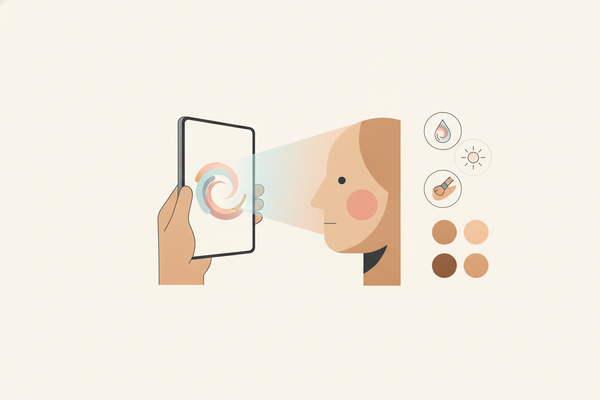
- Detecting facial landmarks (eyes, cheekbones, jawline) using 3D depth mapping and machine learning algorithms.
- Analyzing photo quality, lighting, and angles dynamically to adapt textures, colors, and simulate skin undertones.
- Rendering makeup in real time or on static images with improved realism, including subtle skin texture overlays and adaptive shading.
When your image is clear, well-lit, and centered, these platforms generally deliver more accurate and natural results. For guidance on capturing face-centric photos, see Makeup.com expert tips on how to take the best selfie.
The Importance of the Optimal Selfie Pose for AI Makeup
A consistent, neutral selfie pose helps AI algorithms place foundation, blush, and lipstick more precisely. In 2026, AI models have improved but still rely heavily on quality input images. Common pitfalls include:
- Poor lighting → uneven exposure and patchy virtual foundation, which AI can partially compensate for but may not fully correct.
- Extreme angles → distorted facial landmarks and misaligned makeup, despite improved 3D modeling.
- Shadows or obstructions → missing contour points on cheekbones or jawline, which can confuse AI even with advanced detection.
By maintaining a frontal, unobstructed pose, you can help minimize digital artifacts and achieve realistic, shareable virtual makeup enhanced by current AI algorithms.
Step-by-Step Guide to Finding the Optimal Selfie Pose
Preparation
- Clean, moisturized skin for a glare-free base. Consider using a mattifying primer to reduce shine, which can interfere with AI detection.
- Groomed brows and hair to reveal temples and forehead, helping the AI detect key landmarks.
- Remove glasses, hats, or hairstyles that block key landmarks, unless your app supports augmented reality overlays for accessories.
- Reference the Facetune selfie makeup guide for preparation tips including skin smoothing and lighting adjustments.
Lighting
- Use soft, even natural light—face a window or shoot during golden hour for flattering illumination.
- Avoid harsh overhead or side lighting that casts shadows, which can mislead AI landmark detection.
- Employ a ring light or softbox at eye level for consistent, shadow-free illumination; LED ring lights with adjustable color temperature (2700K–6500K) are commonly recommended.
- Explore selfie lighting makeup tips for more setup ideas and lighting diagrams.
Angles and Face Orientation
- Hold the camera slightly above eye level, tipping your chin downward slightly to avoid double chin shadows.
- Rotate your head 5°–10° to each side to accentuate cheekbones without hiding features; some AI apps can analyze multiple angles and suggest your best pose.
- Take test shots at 0°, 5°, and 10° head turns to compare AI makeup results and choose your preferred angle.
Positioning
- Maintain an arm’s length distance (40–50 cm) so your face fills 70–80% of the frame, ensuring the AI has enough detail for mapping.
- Keep the lens at or just above eye level to avoid chin shadows or forehead bulges.
- Relax your shoulders, lengthen your neck, and face the lens head-on for a natural, confident look.
Practical Tips and Tricks
- For uneven lighting, add a secondary light at a 45° angle to fill shadows; some smart lighting setups can be programmed for optimal selfie illumination.
- Adjust for face shapes: turn slightly for round faces, stay neutral for angular jaws; some AI apps offer face shape recognition to guide pose adjustments.
- Use your app’s “landmark correction” tool if the AI misplaces points; this feature is often more intuitive with drag-and-drop and zoom options.
- See makeup photography hacks and tips for additional ideas on lighting and posing.
Examples and Visual References
- Neutral, Golden-Hour Shot: Straight-on angle with warm window light helps AI capture features accurately.
- Slight 5° Tilt: A subtle turn can emphasize cheekbones for contour and blush placement, supported by AI shading algorithms.
- Ring Light at Eye Level: Eliminates harsh shadows, giving the AI a distortion-free view and consistent skin tone detection.
Conclusion
Mastering the optimal selfie pose for AI makeup in 2026 can help deliver:
- More natural, precise virtual makeup application powered by advanced AI facial modeling.
- Fewer digital artifacts and patchy spots due to improved landmark detection and lighting analysis.
- Enhanced shareability and realistic results optimized for social media platforms.
Practice with different lighting, angles, and positioning to discover your personalized pose. For more guidance on capturing and optimizing your selfie pose, try Makeup Check AI, which includes AI-powered pose feedback, lighting calibration, and real-time makeup preview features.
Additional Resources
- best angles for makeup selfies guide
- Facetune selfie makeup guide
- Makeup.com expert tips on how to take the best selfie
- selfie lighting makeup tips
- makeup photography hacks and tips
FAQ
How does lighting affect AI makeup application?
Soft, even lighting helps reveal your skin tone and contours, allowing the AI to match foundation, highlights, and shadows more accurately. Harsh or uneven light can create dark patches or glare that may confuse the algorithm. In 2026, AI models can partially compensate for poor lighting but optimal illumination remains important for best results.
Can I use any angle for my selfie?
While you can experiment with different angles, a slight head tilt (5°–10°) and a camera positioned just above eye level often yield better AI detection. Extreme angles may distort your features and misplace digital makeup, even with improved 3D facial modeling.
What should I do if AI misaligns makeup on my features?
Many apps now offer a “landmark correction” or manual adjustment tool with drag-and-drop controls and zoom support. Repositioning misplaced points to the correct location can help ensure the AI applies makeup where you want it.