Master Your Skills with an Interactive Virtual Makeup Workshop from Home
Join a virtual makeup workshop from home to enjoy live demos, personalized feedback, and community support in an interactive learning experience.

Estimated reading time: 7 minutes
Key Takeaways
- Virtual makeup workshops offer convenience, personalized feedback, and real-time engagement.
- Structured format often combines live sessions, recorded tutorials, and interactive critiques.
- Curriculum typically covers basics through advanced looks and may include specialised modules.
- Access expert instruction and community support from anywhere in the world.
- Cost-effective learning with flexible scheduling and opportunities for skill-building.
Table of Contents
- What Is a Virtual Makeup Workshop?
- Structure & Format of a Virtual Makeup Workshop
- Interactive Learning Experience
- Workshop Content & Curriculum
- Benefits of Attending a Virtual Makeup Workshop
- How to Get Started with Your Virtual Makeup Workshop
- Conclusion & Call to Action
What Is a Virtual Makeup Workshop?
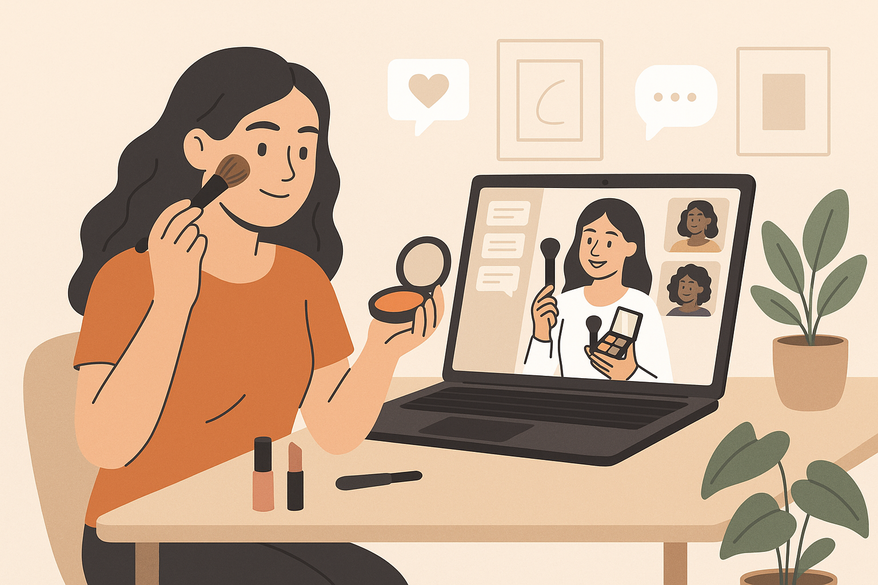
A virtual makeup workshop is an online class where makeup artists guide participants through application techniques, product knowledge, and personalised feedback. In these virtual beauty tutorials, you can learn through live video, recorded lessons, and interactive critique loops.
- Live instruction with step-by-step demos.
- On-demand tutorials for self-paced review.
- Tailored critique via photo or video submissions.
Definition Source: Jen Cay LeGau's overview of virtual makeup workshops. Format Reference: Online Makeup Academy's format guide.
Structure & Format of a Virtual Makeup Workshop
Virtual makeup workshop formats continue to evolve, often incorporating interactive elements such as live sessions, recorded tutorials, and community engagement to suit diverse learning styles.
Live Sessions
- Real-time Zoom or Microsoft Teams lessons with Q&A.
- Ask questions via chat box or voice.
- Tips on technique, blending, and product use.
Source: Jenny Sue Makeup's guide to virtual lessons.
Recorded Tutorials
- On-demand video lessons for self-paced review.
- Pause, rewind, and practice at your own pace with downloadable step-by-step PDFs.
Source: Online Makeup Academy's tutorial library.
Interactive Feedback
- Submit photos or videos for instructor critique.
- Receive personalised pointers on blending, contour shapes, and colour matching.
Source: Online Makeup Academy's critique methods.
Technical Setup
- Platform requirements: Zoom, Microsoft Teams, or proprietary platforms.
- Device: laptop, tablet, or smartphone with webcam and microphone.
- Stable internet connection recommended for HD streaming.
These combined elements form an interactive makeup learning journey that can offer accessibility and feedback quality comparable to in-studio classes.
Interactive Learning Experience
Interactivity transforms passive watching into active skill-building, sometimes enhanced with digital tools for visual feedback.
Chat and Video Tools
- Real-time messaging and voice/video for questions and guidance.
- Some workshops may use chatbots to provide answers to common makeup queries during sessions.
Source: Online Makeup Academy's interactive tools.
Live Demonstrations
- Multiple camera angles show contour blending, lash application, and fine-detail work.
- Step-by-step voiceover explaining brush strokes, product ratios, and skin preparation.
Source: Online Makeup Academy's demo workflows.
Breakout Rooms & Polls
- Small-group practice sessions mimic in-person labs with breakout rooms in Zoom or Teams.
- Instant polls test product preferences or quiz on technique.
Source: Makeup Online School's group sessions.
Community Features
- Private forums, Discord servers, or social media groups for peer support and networking.
- Ongoing discussion threads for tips, product swaps, and feedback with live Q&A from instructors.
Source: Makeup Online School's community benefits.

Workshop Content & Curriculum
Beginner → Advanced Progression
- Foundation Application: shade matching and blending techniques for various skin types.
- Contouring & Highlighting: shapes for different face types with visual guides.
- Eye Makeup: basic placement, smokey eye, liner tips, and popular trends like graphic liners and bold colors.
- Specialised Modules: bridal, editorial, corrective makeup, and sustainable beauty practices.
Source: Jen Cay LeGau's curriculum outline.
Product Knowledge
- Selecting brushes, tools, and makeup brands by skin tone, type, and ethical preferences.
- Ingredient insights: non-comedogenic, vegan, cruelty-free, and clean beauty formulations.
Source: QC Makeup Academy's product insights.
Kit Building
- Beginner Kit: foundation brush, blending sponge, neutral palette, and essential skincare prep items.
- Advanced Kit: professional brushes, multiple palettes, high-precision tools, and tech-enabled devices like LED mirrors.
Unique Features
- One-on-one mentorship sessions with industry professionals.
- Access to recordings, resource library, and practice tools.
Source: QC Makeup Academy's course benefits.
Benefits of Attending a Virtual Makeup Workshop
Flexibility
- Learn anytime, anywhere—no travel required; many workshops offer sessions across multiple time zones.
Source: QC Makeup Academy's flexibility points.
Accessibility
- Global access to instructors; suitable for all skill levels including those with disabilities via captioning and screen reader friendly materials.
Source: Jenny Sue Makeup's insight.
Cost-Effectiveness
- Workshops often cost less than in-person classes when factoring out travel and venue, with many offering payment plans and scholarships.
Source: Online Makeup Academy fees comparison.
Skill Retention & Confidence
- Interactive practice, feedback, and tailored critiques can help boost mastery and self-assurance.
Source: Makeup Online School's retention study.
Testimonials Snippet
- “I never thought I could contour my cheekbones so precisely—my instructor guided me step by step!” – A. Miller
- “The live demos and feedback helped me build my own kit confidently.” – S. Patel
How to Get Started with Your Virtual Makeup Workshop
Registration Steps
- Find a course on the provider’s website.
- Create an account and select your workshop.
- Complete payment via secure checkout, with options for credit cards, PayPal, and sometimes other payment methods.
Source: Online Makeup Academy registration guide.
Tools & Software
- Stable internet connection (minimum 10 Mbps recommended).
- Device with webcam and mic (laptop, tablet, or smartphone).
- Zoom, Microsoft Teams, or proprietary video platform installed; some workshops may use AR apps like Makeup Check AI for virtual try-ons.
Pre-Session Prep
- Gather your makeup kit and tools as per the provided checklist.
- Review pre-workshop materials, video introductions, or checklists sent via email.
Source: Jen Cay LeGau's prep checklist.
Post-Session Resources
- Downloadable guides, product checklists, and session recordings.
- Access to community forum, ongoing Q&A sessions, and practice tools for continuous improvement.
Source: Makeup Online School's resources.
If you’re looking for extra at-home practice, try Makeup Check AI—an AI Makeup Generator that provides virtual try-ons and personalised feedback powered by recent AI algorithms.
Conclusion & Call to Action
A virtual makeup workshop delivers interactive, personalised learning that fits your schedule and skill level. You can gain live engagement, expert feedback, and a supportive community—all from home, sometimes enhanced by AI and AR technology.
Join Our Next Virtual Makeup Workshop Today!
For more on interactive AR makeup lessons.
FAQ
What equipment do I need for a virtual makeup workshop?
You need a device with a webcam and mic, stable internet (minimum 10 Mbps recommended), and a basic makeup kit. Detailed tool lists and tech requirements are usually provided in pre-session materials.
Can I access recordings after the live session?
Many workshops provide access to recorded lessons and resources for ongoing review, though policies vary by provider.
Are the instructors certified?
Workshop leaders typically hold professional makeup certifications and industry experience to ensure quality teaching, with some trained in virtual instruction and digital coaching.