makeup for virtual meetings: Step-by-Step Looks & App Tools
makeup for virtual meetings: Discover natural, soft glam, interview, and other looks. Try AI tools and tutorials for flawless video-ready makeup.

Estimated reading time: 13 min
Key Takeaways
- Choosing makeup for virtual meetings requires adapting classic looks to enhance features under webcam lighting.
- Core virtual-ready looks include everyday natural, soft glam, job interview, wedding guest, date night, and festival makeup ideas.
- Products and techniques must address shine, camera clarity, and color payoff on screen.
- AI beauty apps like Makeup Check AI offer instant look generation, tutorials, and personalized feedback for every occasion.
- Practical tips: prioritize base, brows, mascara, and lips to quickly look polished for any video call.
Table of Contents
- Section 1: The Essentials of Makeup for Virtual Meetings
- Section 2: Everyday Natural Makeup Look for Video Calls
- Section 3: Soft Glam and Special Occasion Looks On Camera
- Section 4: Adapting Wedding Guest & Date Night Makeup for Online Events
- Section 5: Festival Makeup Ideas & Creative Looks for Virtual Gatherings
- Section 6: Job Interview Makeup & Beginner-Friendly Video Makeup Tips
- Conclusion
- FAQ
Section 1: The Essentials of Makeup for Virtual Meetings
Understanding Webcam Lighting and Camera Effects
Makeup for virtual meetings isn’t just about looking polished in person—it’s about how your makeup translates through a webcam. Webcams can flatten features, exaggerate shine, and distort colors. The right makeup choices help you appear alert, confident, and professional, whether you’re logging into a team call or presenting to clients.
- Lighting: Natural light is best, but if unavailable, use a ring light or position a lamp in front of you. Avoid overhead lighting that casts shadows.
- Camera Quality: Even with HD webcams, makeup can look washed out. Slightly stronger colors and more defined features often translate better on camera.
Position your camera at or slightly above eye level to avoid unflattering angles that highlight undereye circles or cast shadows on facial features. If you wear glasses, be mindful of glare; anti-reflective lenses or adjusting the angle of your light can help reduce this common issue. For best results, test your makeup in your specific video conferencing platform’s preview window, as color rendering can vary between Zoom, Teams, and Google Meet.
Key Product Choices for Video Calls
Some products play a unique role in virtual settings:
- Matte primers and setting powders reduce forehead and nose shine that’s exaggerated by webcams. Explore the best base options at our primer guide.
- Cream blushes and subtle bronzers restore dimension lost to flat lighting.
- Defined brows and mascara make eyes look more open and expressive.
- Lip colors with moderate pigment keep your face from blending into the background.
Consider using tinted setting powders or blotting powders throughout the day if you tend to get oily. For those who experience dryness, a setting spray with a slight dewy finish can help, but avoid anything with shimmer or visible sparkles as it can look unnatural on camera. Opt for products labeled "photo-friendly" or "HD" to minimize unwanted flashback and to ensure your makeup reads true to color through digital lenses. For precise product recommendations, Makeup Check AI can analyze your skin type and lighting setup to tailor a product list for you.
Fast Routines for Busy Schedules
Many users need a routine that takes less than five minutes. Focus on:
- Evening out skin tone (tinted moisturizer or concealer).
- Defining brows and lashes.
- Adding color to cheeks and lips.
For a truly efficient routine, try the following step-by-step process:
- Apply a tinted moisturizer or BB cream with your fingers for quick blending.
- Swipe concealer under the eyes and on any visible blemishes.
- Brush up brows and fill in sparse areas with a brow pencil or powder.
- Apply cream blush to the apples of your cheeks and blend upward with your fingers.
- Add a single coat of mascara, focusing on the upper lashes for an eye-opening effect.
- Finish with a tinted lip balm or sheer lipstick.
Apps like Makeup Check AI can generate fast, video-optimized routines and provide visual tutorials to speed up your process. You can even pre-load your specific time constraints and desired effect, and the AI will suggest a routine that fits your needs, complete with step-by-step instructions and product suggestions tailored to your preferences and facial features.
Section 2: Everyday Natural Makeup Look for Video Calls
The “No Makeup” Makeup Look
The everyday natural makeup look, often called the “no makeup makeup look,” is ideal for daily virtual meetings. Its goal is to subtly enhance your features, making you appear refreshed and attentive without looking overdone.
- Base: Opt for a lightweight, matte-finish tinted moisturizer or a soft-focus foundation. Dot concealer under the eyes, around the nose, and over any redness or blemishes.
- Brows: Gently fill in sparse areas with a pencil or powder to frame your face. Keep the shape soft and natural.
- Eyes: Curl lashes and apply one or two coats of mascara. For extra brightness, tap a touch of champagne shimmer on the inner corners.
- Cheeks: Cream blush in a peachy or rose tone gives a healthy glow that reads well on camera.
- Lips: Choose a tinted balm or sheer lipstick close to your natural lip color.
For added realism, lightly press a damp sponge over your finished base to remove any excess product, ensuring your skin looks like skin—even on HD cameras. This technique prevents cakiness and keeps your complexion looking fresh after hours of calls. If your skin is prone to redness, consider a green-tinted primer under your base to neutralize undertones before you even apply foundation.
Minimizing Shine and Distractions
Shine is a common issue on video. Use a translucent powder or oil-absorbing sheets on the T-zone before going live. Avoid products with SPF flashback if your webcam is high-res or you use strong lighting.
To maintain a natural look, apply powder with a large fluffy brush, focusing only on the center of the face—the forehead, nose, and chin. If you find your makeup fading over a long day of meetings, keep a compact powder and blotting papers at your workstation for quick touch-ups. For those with combination or oily skin, consider a mattifying setting spray as a final step; for dry skin, keep a hydrating mist on hand to refresh without disrupting your makeup.
Quick Tips for a 5-Minute Routine
- Keep concealer and brow pencil at your desk for last-minute touch-ups.
- A single swipe of cream blush can double as lip color in a pinch.
- Use Makeup Check AI to analyze your face and suggest tweaks for your unique features, ensuring your natural look is always meeting-ready.
- Choose neutral, non-reflective backgrounds for your video calls to avoid color distortion that can affect how your makeup looks.
- For glasses wearers, curl lashes and use waterproof mascara to prevent smudging where lenses touch your cheeks.
Remember, the everyday look is about appearing healthy and engaged. If you only have time for one product, prioritize even skin tone or adding color to your cheeks—these create the biggest impact on camera.
Section 3: Soft Glam and Special Occasion Looks On Camera
Soft Glam Makeup for Virtual Presentations
Soft glam makeup strikes a balance between natural and dramatic, offering more definition and polish—perfect for important meetings, webinars, or virtual events where you want to stand out.
- Foundation: Opt for a medium-coverage, satin-finish foundation that blurs imperfections but doesn’t appear heavy.
- Eyes: Soft brown or taupe eyeshadow in the crease, with a shimmer or satin shade on the lids, helps eyes pop. Winged eyeliner (optional) elongates the eye shape.
- Lashes: Layered mascara or subtle false lashes create definition without looking overdone.
- Contour & Highlight: Add subtle contour below cheekbones and a gentle highlight on the high points of the face—avoid anything too glittery.
- Lips: Satin or cream lipsticks in muted pink, mauve, or berry tones look polished and flattering on camera.
To create a seamless soft glam look that appears flawless on camera, blend your contour well—use a cool-toned contour for natural shadows, and restrict highlight to areas that catch light naturally (tops of cheekbones, bridge of nose, cupid’s bow). Avoid chunky glitter, as it can create distracting reflections on video. If you have hooded eyes, try a half-winged liner or tightlining to enhance shape without taking over your look.
Adapting Soft Glam for Different Skin Types
- Oily Skin: Use mattifying primer and set with powder; stick to powder blush and bronzer.
- Dry Skin: Hydrating primer and cream-based products prevent flakiness on HD video.
- Combination Skin: Mix and match—matte on the T-zone, hydrating on the cheeks. Layer powder only where needed to avoid a patchy finish.
For mature skin, avoid heavy powder and opt for creamy textures that won’t settle in fine lines. If you have deep skin, select contour and blush shades with rich undertones to ensure they don’t look ashy or washed out on camera. For fair skin, use a light hand with contour and choose blushes in peach or soft pink tones for a natural flush.
Using AI Tools for Soft Glam Inspiration
With Makeup Check AI, you can try on hundreds of soft glam makeup looks virtually and get step-by-step guidance tailored to your face shape and color season. See your look on screen before your meeting for confidence and peace of mind.
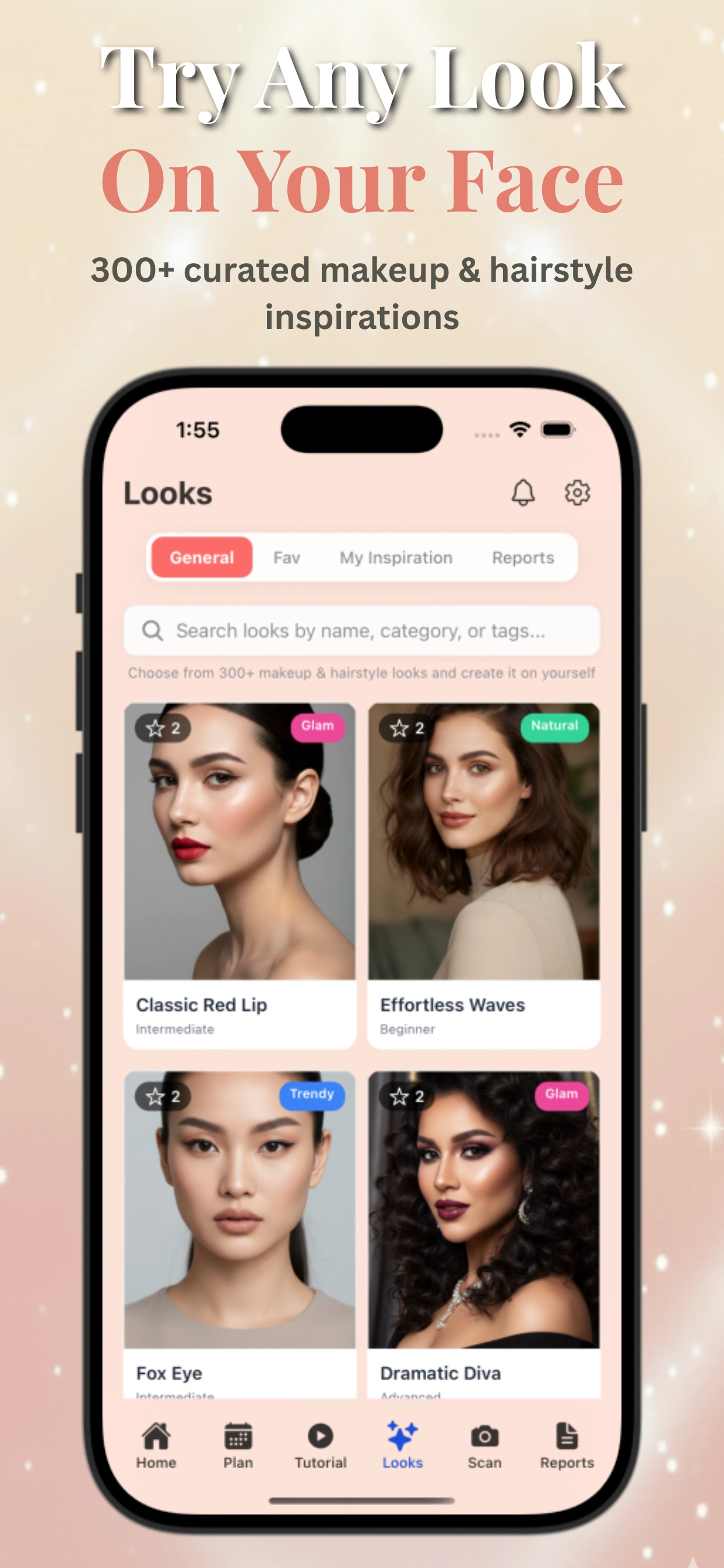
For example, if you want a classic rose gold soft glam, Makeup Check AI can recommend the best shades for your skin tone and even suggest matching lip colors. The app’s AI will highlight areas where you may need to add extra definition or suggest subtle adjustments for your brow shape or eye placement. This real-time feedback makes it possible to achieve a harmonious, balanced look every time, especially when prepping for high-stakes presentations or virtual celebrations.
Section 4: Adapting Wedding Guest & Date Night Makeup for Online Events
Wedding Guest Makeup for Virtual Ceremonies
Attending a virtual wedding? Your makeup should be celebratory, but not overpowering. Focus on radiant, long-lasting products that look great for hours on camera.
- Dewy base: Use a hydrating primer and luminous foundation for a healthy glow.
- Cheeks: Layer cream and powder blush for dimension.
- Eyes: Soft shimmer on lids, defined lashes, and a touch of bronze or gold highlight brighten your gaze.
- Lips: Pick a richer tone—rose, berry, or coral—for a festive touch that still feels wearable.
For virtual ceremonies that may last several hours, choose long-wear formulas for your base and lips. Use a small detail brush to apply shimmer just to the center of your lids and the inner corners for a subtle, eye-catching sparkle. If you’re unsure about how bold to go, remember that camera lighting tends to mute colors, so don’t be afraid to build up blush and lip color a bit more than you would in person. Always do a test run in your video app to ensure your makeup looks as intended.
Date Night Makeup Look for Video Chats
Virtual date night or happy hour? Choose makeup that feels flirty but effortless:
- Skin: Even out tone, but let natural texture show through.
- Eyes: Smudge a soft brown liner along the upper lash line; add a bit of shimmer to the center of lids.
- Lips: A comfortable, transfer-resistant lipstick in a pink, red, or plum shade gives a pop of color that draws attention—no need to worry about fading in person!
For a romantic, glowing effect, apply a touch of highlighter to the tops of the cheekbones, tip of the nose, and cupid’s bow. If you want to try something playful, experiment with a subtle cat-eye or colored eyeliner in navy or plum, which reads as sophisticated but not overpowering on camera. For a soft, blurred lip, dab the lipstick on with your finger and blend out the edges, creating a just-kissed effect that’s low-maintenance and comfortable for long calls.
Tips for Lasting, Camera-Ready Looks
- Use setting spray to lock in your look. Mist before and after makeup to increase longevity.
- Keep a compact and lipstick nearby for touchups between calls or virtual events. If you’re eating or drinking during a virtual reception, reapply lip color as needed.
- Find detailed breakdowns for each occasion in our dedicated guides, like the AI Makeup Tutorial for special events.
- For extra staying power, layer cream blush under powder blush and blot lips before applying a second layer of lipstick.
- During emotional events, opt for waterproof mascara and liner to avoid smudges if you get teary-eyed.
Don’t forget to check your appearance in your camera preview before joining the event, and adjust your blush or lip color for the best effect under your specific lighting.
Section 5: Festival Makeup Ideas & Creative Looks for Virtual Gatherings
Festival Makeup for Online Parties
Festival makeup is your chance to get creative—even on camera! Vibrant colors, glitters, and graphic liners pop on HD webcams. Virtual backgrounds and lighting can mute some effects, so go bolder than you would in person.
- Eyes: Try bright eyeliner, neon shadows, or holographic toppers. Stick-on gems or subtle face decals add fun, but don’t overdo it for small screens.
- Cheeks: Experiment with blush draping or highlighter in unusual shades (lavender, gold).
- Lips: Go for bold: electric pink, orange, or even blue—virtual spaces reward playful choices.
For a festival-inspired look, use a white or pastel base on your eyelids before applying neon shadows to help them pop on camera. Mix and match shades for a gradient effect, or try a floating graphic liner for modern flair. If you love sparkle, use cosmetic-grade loose glitter or metallic liquid eyeshadows, but keep placement strategic—focus on the inner corners or along the lower lash line.
Making Creative Looks Work on Camera
- Test your look in your meeting software’s preview window. Adjust colors if they look dull or patchy.
- Use cream or liquid products for more saturated color payoff.
- Pair with simple hair and a clean background to keep the focus on your artistry.
- If using gems or decals, secure them with eyelash glue and avoid placing too close to your eyes or the edge of your webcam frame.
- Layer blush up toward the temples (blush draping) for an editorial effect that’s visible even in a small video window.
For group events, coordinate with friends or colleagues to pick a theme or color palette. This creates a sense of unity and makes screenshots more visually engaging. If you want to try body art or face painting, restrict designs to the upper face so they remain visible during standard head-and-shoulders framing on video.
Virtual Try-On for Festival Looks
Not sure where to start? AI-powered tools like those in Makeup Check AI let you generate and preview hundreds of festival makeup ideas on your own face, so you can experiment risk-free before your next virtual party. For a broader view of technology’s impact on creative makeup, explore the insights in Makeup AI: Revolutionizing Beauty with Personalized Technology.
For instance, you can upload your selfie and toggle between a rainbow liner, glitter cut crease, or gem-adorned look—then receive a step-by-step shopping list and tutorial video. Makeup Check AI’s color detection ensures your chosen shades will remain vibrant under typical webcam lighting, so your creativity shines through the screen.
Section 6: Job Interview Makeup & Beginner-Friendly Video Makeup Tips
Job Interview Makeup for Virtual Meetings
Interview makeup should help you look trustworthy, alert, and well-groomed. The goal: polish without distraction. Stick to neutral tones and avoid heavy shimmer or bold colors.
- Base: Matte, natural-finish foundation or tinted moisturizer. Conceal under-eyes and redness.
- Brows: Define with pencil or powder, but don’t overdraw.
- Eyes: Light neutral shadows; a touch of brown liner close to the lashes; one coat of mascara.
- Cheeks: Subtle blush in a natural tone.
- Lips: MLBB (my lips but better) shade—think rose, mauve, or nude.
Before your interview, check your final look in the camera preview. Adjust lighting so your face is evenly illuminated, avoiding harsh shadows or backlighting. For oily skin, blot and powder just before you log in; for dry skin, use a hydrating mist. If you wear earrings or glasses, keep makeup understated to avoid competing focal points. A fresh, natural look conveys professionalism and approachability—ideal for first impressions online.
Makeup Looks for Beginners
If you’re new to makeup, virtual meetings are a great way to practice simple, effective techniques. Focus on:
- Evening out skin tone with concealer or BB cream.
- Brushing up brows and applying clear gel.
- Mascara to open the eyes.
- Cream blush for a quick flush of color.
- Tinted balm for a hint of lip color.
Start with a two-step routine, then add products as you gain confidence. Many beginners find it helpful to use AI-guided tutorials, like those in Makeup Check AI, which break down each look with video and visual feedback.
For absolute beginners, follow this streamlined sequence:
- Dot concealer under eyes and on blemishes; blend with fingers or a sponge.
- Brush brows upward with clear or tinted gel.
- Apply cream blush in a circular motion to the apples of your cheeks.
- Sweep one coat of mascara on upper lashes.
- Swipe tinted balm on lips.
As you become more comfortable, experiment with eyeshadow or a subtle eyeliner. AI tools can help by suggesting color palettes that suit your undertones and face shape, ensuring you make the most flattering choices even as a novice.
Common Pitfalls and Quick Fixes
- Looking washed out: Add color to cheeks and lips; adjust your light source. Experiment with moving your lamp or window placement until you look healthy and vibrant.
- Shine on screen: Blot or powder the T-zone before joining. For persistent shine, try an oil-control primer next time.
- Tired eyes: Use a peachy concealer and curl lashes for instant refresh.
- Patchy or uneven makeup: Blend with a damp sponge and check in camera preview; less is more.
- Heavy foundation: Spot-conceal instead of layering on product. Thin, even layers look more natural under video lighting.
For emergencies, keep these items at your desk: concealer, powder compact, a brow pencil, and a tinted lip balm. They’re all you need to go from bare-faced to camera-ready in under two minutes. For tailored advice, Makeup Check AI can flag issues with your current look and suggest instant corrections based on your webcam preview.
Conclusion
Mastering makeup for virtual meetings means understanding how your routine interacts with webcam lighting, camera quality, and the unique demands of each occasion. Whether you prefer an everyday natural makeup look, want to try soft glam makeup for presentations, or need special ideas for weddings, date nights, or festivals, adapting your technique for camera ensures you always look and feel your best.
AI beauty apps like Makeup Check AI make it easy to personalize, preview, and perfect any look—no matter your skill level or event. For even more smart beauty insights, see our deep dive into the ultimate guide to AI makeup apps.
Remember, successful virtual makeup is less about following strict rules and more about experimenting with what works for your features and lighting. Take advantage of technology—AI, camera previews, and virtual try-on tools—to refine your look until you feel confident. Even small tweaks, like a brighter blush or a strategic highlighter, can transform your on-screen presence. With the right techniques and a little practice, you’ll be ready for any online event, from quick check-ins to milestone celebrations.
FAQ
Q: What makeup looks best for Zoom meetings?
A: A natural, polished look works best—think even skin, defined brows, subtle blush, mascara, and a lip color close to your natural shade. Soft glam is ideal for important presentations or events.
Q: How do I stop my face from looking shiny on video calls?
A: Use a matte primer and set your base with translucent powder, especially on the T-zone. Blotting papers or oil-absorbing sheets are handy for touchups before joining a call.
Q: What is the best foundation for virtual meetings?
A: Choose a lightweight, satin or soft-matte foundation or tinted moisturizer that evens tone without looking heavy. Avoid dewy or SPF-heavy products that can cause flashback or shine on camera.
Q: Should I wear lipstick on a Zoom call?
A: Yes! Lipstick or tinted balm helps define your features and prevents your face from looking washed out on camera. Opt for shades close to your natural lip color for a professional look.
Q: How do I look less tired on video meetings?
A: Brighten under-eyes with peachy concealer, use a cream blush for a healthy flush, and curl lashes with mascara. Good lighting also makes a big difference.
Q: What are the easiest makeup tips for video conference calls?
A: Focus on base, brows, mascara, blush, and lips. Keep products nearby for quick touchups. Preview your look in your camera window and adjust lighting as needed.