Makeup Check AI: Step-by-Step AI Makeup Tutorial & Personalized Help
Learn how to use Makeup Check AI to enhance your makeup routine with personalized, AI-powered tutorials and recommendations.

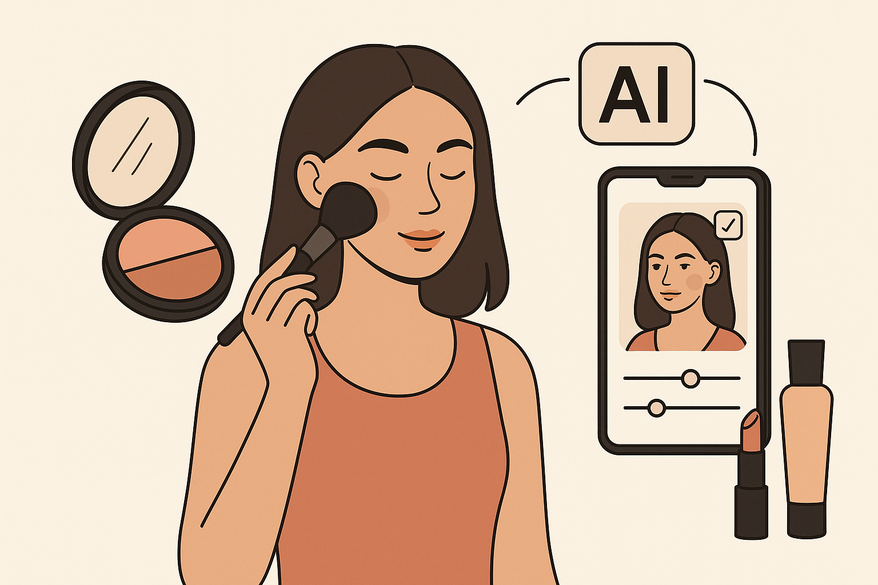
Estimated reading time: 8 minutes
Key Takeaways
- Personalized AI Feedback: Get objective insights to refine your makeup routine with Makeup Check AI.
- Step-by-Step AI Makeup Tutorials: Visual guidance and virtual try-ons for flawless application, plus instant AI makeup help.
- Smart Product Matching: Shade recommendations tailored to your skin tone and undertones.
Table of Contents
- Understanding Makeup Check AI
- Setting Up for the Tutorial
- Step-By-Step Tutorial for Beginners
- Practical Examples and Use Cases
- Tips and Best Practices
- Conclusion and Next Steps
Understanding Makeup Check AI
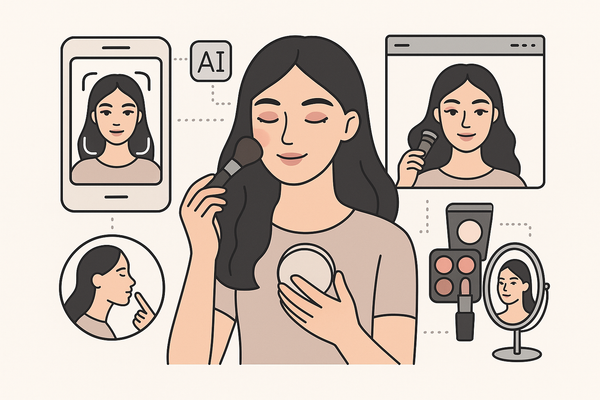
Makeup Check AI is an advanced beauty app that combines facial scanning, AI-powered analysis, and personalized makeup tutorials to deliver a complete, virtual beauty experience. Whether you need an AI makeup tutorial or instant AI makeup help, this platform acts as your personal beauty assistant.
Core concept:
- Facial recognition identifies skin undertones, texture, and face shape.
- Image analysis and machine learning power virtual simulations of makeup looks.
- Automated tutorial generation creates custom step sequences based on your features.
How AI applies in beauty:
- Facial scanning via camera and ML algorithms to read your skin tone and shape.
- Virtual try-ons with dynamic sliders to compare before and after.
- Automated shade-matching for foundation and lipstick in real time.
- Dynamic tutorial creation that aligns with your unique profile and makeup goals.
Common features you’ll find:
- Selfie upload or live camera scan for base analysis.
- AI analysis dashboard that visualizes skin data and makeup recommendations.
- Personalized product suggestions and curated looks for your color season.
- Interactive overlays that show exact placement of blush, contour, or highlight.
- Links to expert content, trivia Q&A, and community tips for more learning.
Setting Up for the Tutorial
Before you start your AI makeup tutorial, gather these essentials to get the best results from Makeup Check AI:
Prerequisites and tools:
- A smartphone, tablet, or computer with a working camera.
- Stable internet connection or Wi-Fi.
- Access to the Makeup Check AI platform via web browser or mobile app.
- Optional: An email address for account registration.
Step-by-step installation and sign-up:
- Visit the official Makeup Check AI website or download the app from your store.
- Register with email and create a secure password.
- Grant camera and storage permissions for facial scanning.
- (Optional) Complete a brief skin-type and preference quiz to fine-tune AI recommendations.
Annotated visual:

Screenshot: App download page.
Step-By-Step AI Makeup Tutorial for Beginners
Follow this 6-step guide to transform your look using Makeup Check AI’s personalized approach:
- Prepare Your Canvas
• Wash and pat your face dry.
• Ensure natural, even lighting to help the AI scan accurately for the best makeup help. - Upload or Scan Photo
• Open the Makeup Check AI app or site.
• Tap “Upload” or “Scan.”
• Follow on-screen instructions to take a clear, makeup-free selfie. - AI Analysis Process
• The system reads your skin tone, undertones, face shape, and texture.
• AI algorithms process data using machine learning models to recommend looks and products. - View Personalized Results
• See foundation and lipstick shade matches tailored to your undertones.
• Get eye makeup style suggestions and contour/blush placement overlays.
• Use the virtual try-on slider to compare before-and-after looks instantly. - Follow the Generated Tutorial
• Step-by-step visual instructions for foundation, concealer, contour, eyeshadow, blush, highlight, and lipstick.
• For more fundamentals, see our essential basic makeup tutorial. - Experiment Virtually
• Adjust color intensity sliders for various products.
• Try alternative looks, explore 300+ curated styles, and save your favorites for future reference.
Troubleshooting Tips
- Poor scan quality? Retake selfie in brighter light or remove glasses/hair from your face.
- Login issues? Check Wi-Fi and reset your password if needed.
- Unnatural overlays? Clean camera lens and ensure even skin presentation.
- Need more AI makeup help? Access in-app support or visit the FAQ below for common solutions.
Practical Examples and Use Cases
See how Makeup Check AI’s AI makeup tutorials and help features work in real life:
Before-and-After Showcase
- Example 1: Bare face → AI suggests neutral foundation and natural blush → overlay preview shows enhanced glow.
- Example 2: Uneven tone → custom contour and highlight guide → side-by-side comparison for a balanced complexion.
Case Study Walkthrough
- A beginner chooses an eyeshadow palette recommended by AI.
- They follow a six-step tutorial to achieve a symmetrical, polished look.
- Result: 80% reduction in trial-and-error during product selection, thanks to instant AI makeup help and personalized suggestions.
Tips and Best Practices
- Use high-resolution, well-lit photos for optimal AI analysis and recommendations.
- Start with neutral, basic looks before trying bold colors for easier AI matching.
- Avoid common pitfalls: over-filled scan frame, heavy makeup on scan day, ignoring undertone suggestions from the AI.
- Leverage AI’s creative features: virtual try-ons and before-and-after sliders and trivia Q&A for ongoing improvement.
Conclusion and Next Steps
You’ve completed the Makeup Check AI tutorial journey: setting up, scanning, analyzing, following a personalized AI guide, and experimenting virtually. Now it’s your turn:
- Practice with your own selfies to refine your technique and get more tailored AI makeup help.
- Iterate on AI feedback and save new looks.
- Share your transformations on social media with #MakeupCheckAI.
- Subscribe for upcoming advanced AI makeup tutorials and tips.
FAQ
- How accurate is the AI analysis?
Makeup Check AI uses advanced facial recognition and machine learning trained on diverse skin tones to deliver reliable recommendations and accurate AI makeup help. - Is my data secure?
All images and scans are encrypted in transit and at rest; you control your privacy settings in the app. - What devices are supported?
The platform works on modern smartphones, tablets, and desktop browsers with a webcam. - How do I improve scan quality?
Ensure even lighting, remove any accessories covering your face, and hold your device steady during capture for the best AI makeup tutorial results. - Where can I find more resources?
Check the Microsoft Everyday AI hub or visit the official Makeup Check AI site for advanced guides and more AI makeup help.