Unlock Professional Precision with Makeup Check AI Pro Features: Advanced Tips & Techniques
Explore Makeup Check AI Pro features to master professional virtual try-ons and precision techniques. Discover expert tips and elevate your beauty routine.

Estimated reading time: 8 minutes
Key Takeaways
- Makeup Check AI Pro offers advanced modules for 3D try-ons, skin analysis, layering, product suggestions, and professional workflow integration.
- Real-time full-face simulations adjust for lighting and head rotation for lifelike accuracy, with AI-driven shadow and highlight rendering.
- Advanced skin analysis measures tone and texture using updated algorithms to provide personalized skincare and makeup recommendations.
- Precision application tools replicate brush pressure, contour gradients, and airbrush smoothing with brush customization and pressure sensitivity features.
- Exportable guides, client galleries, and shareable links help streamline consultations and remote workflows, with support for collaborative client feedback.
Table of Contents
- Introduction
- Overview of Makeup Check AI Pro Features
- Advanced Usage Tips for Makeup Check AI Pro Features
- Pro Techniques for Makeup Check AI Pro Features
- Integrating Makeup Check AI Pro Features into Daily Routines
- Conclusion
The rise of AI in beauty tech continues to transform how makeup artists and enthusiasts approach virtual try-ons and consultations. Makeup Check AI Pro features deliver more than basic filters—this enhanced version offers deeper customization, precision, and professional workflow tools. Makeup Check AI leverages artificial intelligence for virtual try-ons and detailed analysis (source). The enhanced Pro suite expands standard try-ons with modules for skin analysis, layering, product suggestions, and client management. In this post, we explore Makeup Check AI Pro features, sharing advanced usage tips and pro techniques for expert-level results.
For a practical look at integrating AI makeup into your daily routine, see AI makeup app routine.
Makeup Check AI's Pro features demonstrate these capabilities in action, offering artists an intuitive interface that balances data-driven precision with creative flexibility.
Overview of Makeup Check AI Pro Features
Understanding the difference between basic and Pro is essential. The basic version offers standard filters and simple try-ons, while the Pro tier unlocks modules designed for enhanced customization and professional use.
Basic vs Pro
- Basic: Simple color filters, preset looks, and two-dimensional overlays.
- Pro: Full suite of Makeup Check AI Pro features, including advanced skin modules, virtual layering, personalized product suggestions, and workflow integration.
Key Makeup Check AI Pro features include:
- Comprehensive Virtual Try-On
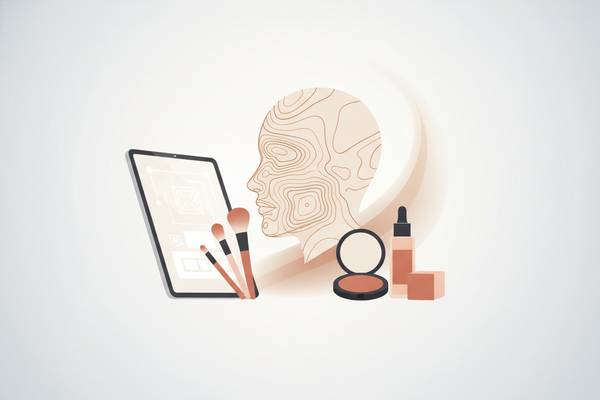
- AI uses convolutional neural networks to generate a 3D facial map from a single high-resolution image, with multi-angle input support for improved accuracy.
- Real-time full-face simulations adjust for head rotation and lighting changes with rendering of shadows and highlights for lifelike results.
- Enables users to test combinations of foundation, eyeshadow, lipstick, and blush with realistic blending effects.
- Learn more about AR-powered try-ons.
- Advanced Skin Analysis
- Measures skin tone in CIELAB values (L*, a*, b*) with AI models for precision.
- Texture mapping detects pores, fine lines, redness, and hyperpigmentation, with assessments that may include UV damage and hydration levels.
- Recommends formulations based on detected features for personalized skincare and makeup routines, considering seasonal and environmental factors.
- Find detailed comparisons in our source.
- Precision Application Tools
- Virtual layering algorithms replicate brush stroke pressure, contour gradients, and airbrush smoothing with pressure sensitivity and customizable brush dynamics.
- Customizable brush shapes and sizes allow detailed effects around eyes, lips, and cheekbones, including specialty brushes for glitter and metallic finishes.
- Personalized Product & Shade Recommendations
- AI engine benchmarks facial metrics against a large cosmetics database, updated regularly with new product launches.
- Suggests formulas, undertones, and application sequences tailored to each user’s skin profile, integrating user preferences and allergy information where provided.
- Professional Workflow Integration
- Exportable step-by-step application guides in PDF or image formats with customizable branding options.
- Client image galleries with version history, shareable simulation links, and collaborative client feedback tools for remote consultations.
- Explore our prosumer comparisons.
Advanced Usage Tips for Makeup Check AI Pro Features
Optimizing AI outputs starts with setup, calibration, and thoughtful adjustments. Apply these tips to enhance precision.
- Image Capture & Calibration
Use a 4,000–5,000 K neutral lighting environment and place a white-balance calibration card in the frame to standardize color readings. Upload RAW files or the highest-resolution JPEG for best skin analysis accuracy. Pro insight: Some studios have reported improved shade matching after adopting these guidelines. - Leveraging the Virtual Try-On Module
1. Select the full-face template from the Pro dashboard.
2. Adjust modules for eyes, lips, blush, and contour individually.
3. Preview in the 360° rotatable view to inspect shadows and highlights.
Toggle the “realistic shadows” slider to simulate different lighting conditions. Final note: Finalize adjustments in natural daylight for the truest render. - Fine-Tuning Skin Analysis Settings
Adjust “tone sensitivity” (0–100 scale); an ideal range for indoor shoots is 60–75. Use the “texture smoothing” slider sparingly to preserve natural skin details. Monitor the red and blue channel overlays to observe underlying redness or cool undertones. - Saving & Reusing Custom Templates
Click “Save Look” → Name your template → Assign tags (e.g., “bridal,” “editorial”). Access saved looks under “My Looks” for one-click application in future sessions. Tip: Tag by season or skin type for rapid retrieval during consultations. - Integrating into Live Consultations
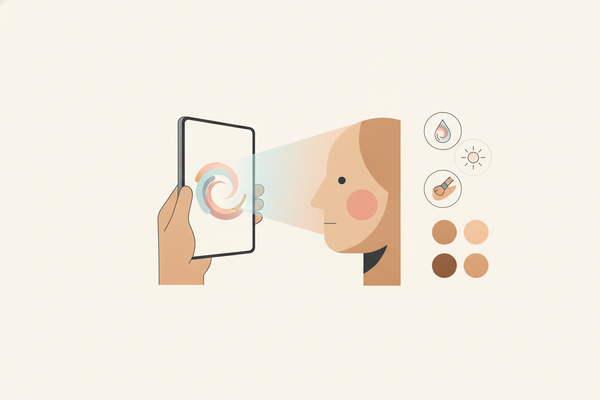
Project AI results on a tablet or monitor during face-to-face appointments. Collect instant client feedback by toggling between before/after states. Export a simulation PDF as a leave-behind for client sign-off and follow-up.
Pro Techniques for Makeup Check AI Pro Features
Elevate your artistry by combining digital precision with hands-on expertise. These pro techniques illustrate practical applications.
- Hybrid Digital-Physical Workflow
Use AI simulation as a roadmap: map color blocks and contour lines on the client’s face using washable makeup markers, then apply physical products following the AI-recommended layering sequence and brush patterns. Some artists have noted fewer client revisions with this hybrid method. - Case Study: Bridal Consultation
Scenario: An Atlanta makeup artist integrated AI consultations to enhance client experience.
1. Client uploads a high-res photo; AI suggests a soft-glam bridal look.
2. Artist fine-tunes lip shade and cheek highlights based on AI’s CIELAB tonal map.
3. On-site trial confirms close color match between simulation and real application.
Metrics such as time saved per trial and client satisfaction were positively impacted according to the artist’s report. - Staying Current with Updates
Check the “What’s New” tab in the app regularly for feature releases. Test new AR filters and Beta modules in sandbox mode before client use. Build signature techniques around beta features, such as digital-to-physical layering tips.
Integrating Makeup Check AI Pro Features into Daily Routines
Implement these integrations to streamline your workflow, impress clients, and maintain consistency.
For Makeup Artists:
Build digital lookbooks by batch-processing headshots with favorite templates and exporting high-res PDFs for portfolio and marketing. Schedule virtual pre-trials: share AI simulations via unique URLs and collect pre-appointment feedback.
For Advanced Enthusiasts:
Use “Personalized Recommendations” for daily routines—export shopping lists sorted by retailer and price. Link Pro outputs to lifestyle apps (e.g., calendar reminders for serum+primer combos).
Troubleshooting & Optimization:
If shade mismatch occurs, recalibrate white balance and retake photos under daylight bulbs (5,500 K). Clear app cache periodically to ensure algorithm updates apply and performance stays smooth.
Conclusion
We’ve covered the core Makeup Check AI Pro features: from advanced modules for 3D try-ons and skin analysis to precision application tools and workflow integrations. Apply our advanced usage tips and pro techniques to refine your digital-physical workflow, streamline consultations, and enhance client satisfaction. Experiment with each slider, template, and export function to discover your optimal routine. Share your go-to Makeup Check AI Pro features in the comments or on social media to inspire fellow professionals.
FAQ
- What is Makeup Check AI Pro? Makeup Check AI Pro is the enhanced version of the basic app, offering advanced modules for virtual try-on, skin analysis, precision tools, and professional workflow integration.
- How does the virtual try-on feature work? The AI uses convolutional neural networks to build a 3D facial map from a single image, then simulates makeup in real time, adapting to head rotation and lighting changes.
- Can I export application guides? Yes, Pro users can export step-by-step application guides in PDF or image formats and share simulation links for remote consultations.
- What lighting conditions yield the best results? For image capture, use neutral 4,000–5,000 K lighting and a white-balance calibration card. For final review, natural daylight (around 5,500 K) provides the truest color render.
- How often are new features released? Updates and new modules are typically rolled out every few weeks. Check the “What’s New” tab and test in sandbox mode before client use.