Google AI Beauty: Instantly Try-On Makeup with Personalized AI Makeup Generator
Explore Google AI Beauty's virtual makeup try-on, compare it to top AR apps, and see how its tech, accuracy, and features stack up for beauty fans.

Estimated reading time: 14 min
Key Takeaways
- Google AI Beauty offers mobile-first, AR-powered makeup try-on in Search and Shopping, focused on real-time product previews for shoppers.
- Supported makeup types include lipstick, foundation, blush, mascara, and curated full-face overlays, but options are limited compared to dedicated AI beauty apps.
- Top AR beauty apps like Makeup Check AI, YouCam Makeup, and FaceApp provide richer personalization, tutorials, and routine planning beyond shopping previews.
- Google’s tools emphasize inclusivity and privacy, with diverse model representation and robust photo permission management.
- Understanding the strengths and limitations of Google AI Beauty helps users choose the best virtual makeup solution for their needs.
Table of Contents
- Section 1: Introduction to Google AI Beauty and Virtual Makeup Try-On
- Section 2: How Google AI Beauty Try-On Works
- Section 3: Supported Makeup Types and Key Use Cases
- Section 4: Comparing Google AI Beauty with Top AR Makeup Apps
- Section 5: Accuracy, Realism, and Limitations of Google’s Virtual Makeup
- Section 6: Device, Platform, and Privacy Considerations
- Conclusion
- FAQ
Section 1: Introduction to Google AI Beauty and Virtual Makeup Try-On
If you’ve searched for google ai beauty, you’re likely looking for a way to instantly try on virtual makeup and compare it to the best AI beauty apps available. Google AI Beauty brings artificial intelligence and augmented reality directly to Search, Shopping, and Lens, letting you preview makeup products on your face or diverse models in real time. This technology bridges online shopping with the in-store experience, helping you find your perfect shade and style right from your phone. If you want to go beyond simple try-on and get truly personalized makeup generation, skincare routines, or color-season analysis, dedicated apps like Makeup Check AI offer advanced AI makeup generators tailored to your unique facial features. With Google AI Beauty, you can quickly see how products look on you, then explore more personalized solutions with top AI beauty apps for a complete beauty experience.
What Is Google AI Beauty?
Google AI Beauty refers to a set of artificial intelligence-powered features integrated into Google’s Search, Shopping, and Lens platforms. These tools use augmented reality (AR) to let users virtually try on makeup products directly from mobile searches. The core aim is to bridge the gap between online shopping and the in-store experience, giving beauty enthusiasts a way to preview products on their own faces or diverse models before purchase.
The Rise of Virtual Makeup Try-On
Virtual makeup try-on has rapidly evolved over the past few years, blending AI facial recognition, real-time AR overlays, and product-matching technology. This innovation has revolutionized online beauty retail by helping users:
- See how specific makeup shades and finishes look on different skin tones.
- Experiment with new styles without physical samples.
- Boost shopping confidence and reduce returns.
While Google’s entry is significant due to its reach, dedicated apps like Makeup Check AI and YouCam Makeup offer even deeper personalization, such as AI-powered skincare routines, color-season analysis, and hundreds of looks to try instantly. For a comprehensive understanding of how AI is transforming beauty, see Makeup AI: Revolutionizing Beauty with Personalized Technology.
Why Compare Google AI Beauty to AR Apps?
With so many virtual makeup tools available, it’s crucial to understand what sets Google’s features apart—and where they might fall short compared to specialized platforms. Whether you’re a casual shopper or a beauty enthusiast seeking tutorials, personalized looks, and skincare routines, knowing the differences helps you pick the right tool for your needs. If you want to generate a personalized makeup look mapped to your face or receive an AI-powered skincare plan, exploring apps like Makeup Check AI will give you a much broader and more personalized experience than Google’s built-in try-on.
Section 2: How Google AI Beauty Try-On Works
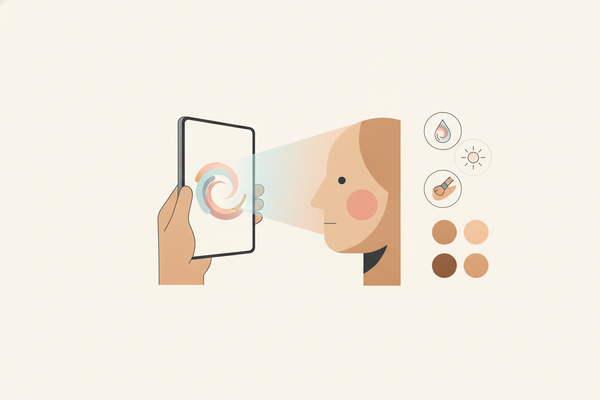
Google AI Beauty try-on is primarily available within the Google Search and Shopping mobile apps. When searching for beauty products like “lipstick” or “foundation,” eligible listings display a ‘Try On’ button below the product images. This feature is widely available in the U.S., with gradual rollout to other regions and languages.
- Mobile-first: The feature is designed for iOS and Android devices; desktop users currently have limited or no access for makeup try-on (though apparel try-on is expanding to desktop).
- Google Lens: Some AR try-on elements are available via Google Lens, especially for analyzing products from real-world photos.
Step-by-Step: Using Google AI Beauty Try-On
- Search for a product: Enter a makeup product (e.g., “Maybelline lipstick”) in the Google app.
- Tap ‘Try On’: If available, a try-on preview appears below product listings.
- Choose a model or use your camera: Preview the product on models of varying skin tones, or activate your phone’s camera to see the effect on your own face.
- Adjust and explore: Swipe between shades, brands, and finishes in real time.
Underlying Technology
Google uses advanced facial landmark detection and AR overlays to map makeup onto live or static faces. The system prioritizes realism and shade accuracy, simulating gloss, matte, and shimmer effects. However, the experience is streamlined for shopping rather than in-depth beauty experimentation or personalized makeup generation.
Section 3: Supported Makeup Types and Key Use Cases
What Makeup Products Can You Try On?
Google AI Beauty supports several core makeup categories, with a focus on products most likely to influence online purchasing decisions.
- Lipstick: Hundreds of shades from top brands like L’Oreal, Maybelline, MAC, and more.
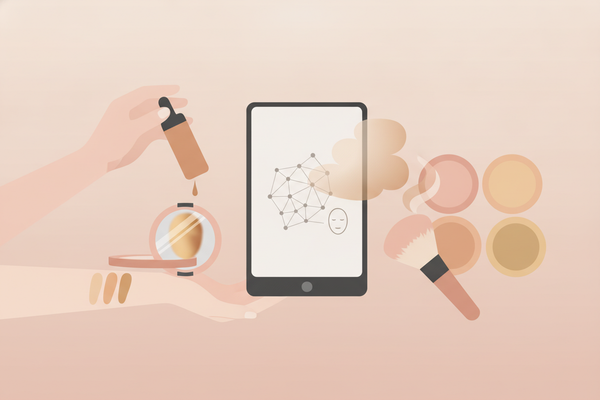
- Foundation: Shade-matching for major product lines, with overlays for undertone and finish.
- Blush: Select blush products with true-to-life pigment simulation.
- Mascara: Volumizing and lengthening effects previewed naturally on lashes.
- Full-look overlays: Some curated looks (e.g., natural glam, bold lip) combine multiple products in a single AR preview.
Notably, the range is curated—users are limited to participating brands and SKUs, unlike the broader creative freedom found in dedicated beauty apps.
Top Use Cases for Google AI Beauty
- Shopping Discovery: Instantly compare how shades look before buying.
- Skin Tone Inclusivity: See products on models representing a spectrum of tones and features.
- Quick Personal Preview: Use your own camera for a live, selfie-style try-on.
Limitations in Product Scope
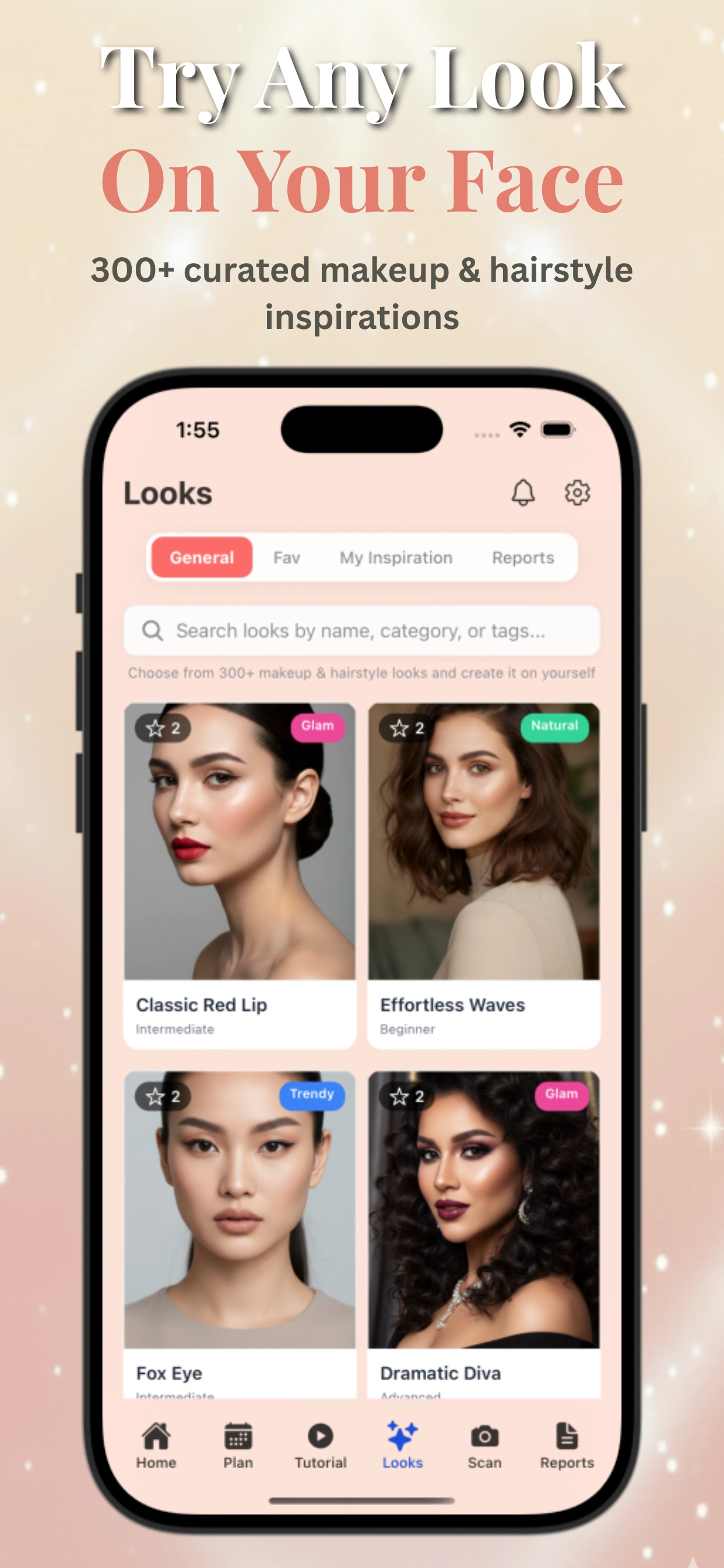
While Google covers popular makeup types, specialty products (eyeshadow palettes, contour kits, highlighters) and custom artistry options are not yet included. For advanced try-on, personalized makeup generation, and AI-powered skincare analysis, platforms like Makeup Check AI offer generation of 300+ looks, tutorials, and personalized beauty plans—well beyond Google’s current scope. You can scan your face, receive a color-season analysis, and generate looks mapped to your features for a more tailored beauty experience.
Section 4: Comparing Google AI Beauty with Top AR Makeup Apps
Key Competitors: YouCam Makeup, FaceApp, and Makeup Check AI
While Google’s beauty try-on is integrated into shopping, AR beauty apps offer a much broader feature set. Here’s how Google AI Beauty stacks up against leaders:
- YouCam Makeup: Known for its robust AR try-on, makeup filters, live video, and skin analysis tools. Users can experiment with makeup artistry, access daily looks, and participate in beauty challenges.
- FaceApp: Focuses more on overall facial editing (including age, gender, and hair changes) but also provides basic makeup overlays.
- Makeup Check AI: Delivers a holistic beauty platform—scan your face for personalized looks, get AI-driven skincare routines, color analysis, and access 100+ tutorials. It’s a true AI beauty assistant for daily use, not just shopping. The app also helps you compare virtual makeup styles and receive step-by-step guidance for each look.
Feature-By-Feature Comparison
- Personalization: Google lets you try on shades, but it doesn’t analyze your unique features or recommend personalized routines. Makeup Check AI generates bespoke looks and skincare advice based on your facial analysis, making it ideal for users seeking tailored recommendations.
- Scope: Google is limited to shopping previews for selected products. Apps like YouCam and Makeup Check AI offer full look generation, skin health tracking, and beauty education for a more comprehensive experience.
- Tutorials & Guidance: Google lacks how-tos. By contrast, Makeup Check AI includes 100+ tutorials, video analysis, and step-by-step guidance for users at any skill level.
- Creativity: Google’s tool is practical but not artistic; advanced apps allow full creative freedom with makeup filters, AR effects, and trend exploration.
To see how AR beauty is evolving, explore this in-depth look at AR Beauty Try-On.
Summary Table: Google AI Beauty vs. AR Apps
- Google AI Beauty: Best for quick, realistic product previews within shopping journeys.
- AR Beauty Apps: Best for immersive try-on, personalized looks, tutorials, and ongoing beauty management.
Section 5: Accuracy, Realism, and Limitations of Google’s Virtual Makeup
How Accurate Is Google’s Makeup Try-On?
Google’s AR try-on is engineered for high color fidelity and realism, especially for lipstick and foundation. The system uses advanced facial mapping to ensure that overlays track facial movements and lighting changes in real time.
- Color Matching: Google partners with top brands to calibrate digital shades, reducing the risk of online shade mismatch.
- Finish Simulation: Glossy, matte, and natural finishes are represented, though with some variability depending on device camera quality and lighting.
- Skin Tone Representation: Users can preview on a range of model photos, improving confidence for diverse shoppers.
Limitations of Google AI Beauty
- Subtle Texture Details: Complex effects (like shimmer, duo-chrome, or layered blush) may not be fully captured.
- Personalization: No AI-driven makeup generation or skincare routines based on your face.
- Product Range: Limited to participating brands and product SKUs, lacking creative freedom.
Section 6: Device, Platform, and Privacy Considerations
Google AI Beauty is optimized for mobile devices, mainly iOS and Android, with limited desktop support. The app respects user privacy by requesting photo permissions only when needed and providing diverse model options to enhance inclusivity. For users seeking a more comprehensive AI beauty experience with personalized data security, apps like Makeup Check AI offer transparent privacy policies and advanced personalization options.
Conclusion
Google AI Beauty is a convenient tool for quick, real-time virtual makeup try-on integrated into Search and Shopping. It excels at helping users preview popular makeup products with realistic AR overlays. However, for users seeking personalized makeup generation, skincare routines, and a broader range of looks and tutorials, dedicated AI beauty apps like Makeup Check AI provide a richer, more tailored experience. Understanding these differences will help you choose the right virtual makeup tool to enhance your beauty routine.
FAQ
What is Google AI Beauty?
Google AI Beauty is an augmented reality feature integrated into Google Search and Shopping that allows users to virtually try on makeup products in real time using their mobile devices.
How does Google AI Beauty differ from Makeup Check AI?
While Google AI Beauty focuses on quick product try-on for shopping, Makeup Check AI offers personalized AI makeup generation, skincare routines, color-season analysis, and over 300 customizable looks with tutorials.
Can I get personalized makeup recommendations with Google AI Beauty?
No, Google AI Beauty does not provide personalized makeup generation or skincare advice. For tailored recommendations based on your facial features, apps like Makeup Check AI are better suited.
Which makeup products can I try on with Google AI Beauty?
You can try on lipstick, foundation, blush, mascara, and curated full-look overlays from selected brands within Google AI Beauty.
Is Google AI Beauty available on desktop?
Currently, Google AI Beauty try-on is primarily available on mobile devices. Desktop support is limited or unavailable for makeup try-on features.