Foundation Shade Finder: How to Find Your Perfect Match Every Time
Discover how to find your foundation shade with undertone tests, shade matching, and AI tools for flawless makeup. Try Makeup Check AI today!


Estimated reading time: 20 min
Key Takeaways
- Understanding your undertone (warm, cool, or neutral) can help with foundation shade matching, as it affects how your makeup complements your natural skin.
- Foundation shade finders often use AI and color science to analyze skin tone, depth, and undertone, aiming to provide matches across various brands and formulas.
- Proper lighting and well-executed photo techniques are important to help ensure reliable and consistent shade matching results from AI tools.
- Foundation oxidation can alter your shade over time; testing and choosing formulas that minimize oxidation may help maintain match accuracy.
- Virtual try-ons combined with formula-specific shade matching can enhance your foundation selection experience by allowing both visual confirmation and informed recommendations.
Table of Contents
- Section 1: Understanding Skin Undertones and Their Role in Foundation Matching
- Section 2: How a Foundation Shade Finder Works
- Section 3: Taking the Perfect Photo for Accurate Shade Matching
- Section 4: Cross-Brand Matching and Shade Finder Tools
- Section 5: Virtual Try-On vs. Formula-Based Shade Matching
- Section 6: Handling Oxidation, Lighting, and Testing Your Foundation
- Section 7: Matching Foundation with Other Face Products
- Conclusion
- FAQ
Section 1: Understanding Skin Undertones and Their Role in Foundation Matching
What Are Undertones and Why Do They Matter?
To find a foundation shade that suits you, it can be helpful to understand undertones—the subtle hues beneath your skin’s surface that influence how makeup appears on you. Undertones are commonly categorized as warm (yellow, golden, peachy), cool (pink, red, blue), or neutral (a balanced mix of warm and cool). These undertones tend to remain relatively consistent regardless of your overall skin color or tan and are distinct from surface redness or pigmentation.
Choosing a foundation that complements your undertone may help your makeup blend more naturally, enhancing your complexion rather than appearing ashy, overly orange, or mismatched. For example, a warm undertone foundation typically has yellow or golden hues, which can harmonize with skin that has a natural yellow or olive cast. Conversely, cool undertones with pink or blue hues often pair better with foundations that have a rosy or neutral base.
Undertones can also influence the shades of other makeup products like blush, lipstick, and eyeshadow, so identifying your undertone can assist in creating overall makeup harmony.
How to Find Your Undertone
- Vein Test: Look at your wrist veins in natural light. If your veins appear greenish, you may have warm undertones. Blue or purple veins suggest cool undertones. A mix of both colors might indicate a neutral undertone. This method is a simple way to start exploring your undertone.
- Jewelry Test: Consider which metal jewelry flatters your skin more. If gold jewelry enhances your complexion, you might have warm undertones. Silver often looks best on those with cool undertones. If both look good, you might have a neutral undertone. This test works because metals reflect and interact differently with your skin’s hues.
- Neutral Clothing Test: Wear white or cream clothing near your face and observe which color makes your skin look brighter and more radiant. Bright white tends to complement cool undertones, while creamy, off-white shades may favor warm undertones.
- Sun Reaction Test: How your skin reacts to sun exposure can provide hints; warm undertones often tan more easily, while cool undertones may burn first and tan minimally.
For a more precise approach, apps like Makeup Check AI’s Free Color Analysis offer tools to help identify undertones using AI, analyzing multiple parts of your face and skin tone distribution to reduce guesswork.
Skin Tone Depth and Its Importance
While undertone refers to hue, skin tone depth relates to how light or dark your skin is, ranging from very fair to deep. Foundation shade finders often analyze both undertone and depth to find shades that neither appear too pale nor too dark.
Skin tone depth is important because two people with the same undertone can have very different skin depths. For example, a person with cool undertones may have very fair or deep skin, and the foundation shade should match both aspects to avoid looking unnatural.
Many shade finders categorize skin depth into multiple levels—often around 10 to 20 gradations—to provide detailed matching. This granularity can be helpful for brands with wide shade ranges, such as Fenty Beauty or MAC.
Understanding both undertone and depth together can support a more natural makeup application. Without matching these factors, foundation can appear chalky, muddy, or mask-like.
Section 2: How a Foundation Shade Finder Works
AI-Powered Color Science Behind Shade Matching
Modern foundation shade finders, like the one in Makeup Check AI, often combine facial scanning with color analysis to identify your skin’s tone and undertone. These tools may analyze data points including:
- Facial color distribution across different zones such as the forehead, cheeks, nose, and jawline to capture subtle variations.
- Skin texture and clarity, which can affect how light interacts with the skin and influence perceived color.
- Natural light reflection and absorption, accounting for skin oiliness or dryness that can alter shade appearance.
Using machine learning algorithms trained on datasets of diverse skin tones and foundation colors, these AI systems compare your facial data against foundation shades from multiple brands. The result is a recommendation of foundation matches tailored to your complexion, undertone, and depth.
Some AI shade finders may also consider seasonal skin tone changes and environmental factors, adapting recommendations for summer and winter tones, which can enhance their usefulness.
Cross-Brand Shade Matching
One challenge in foundation shopping is brand inconsistency—shade names and numbers vary between brands. For example, a shade labeled "Medium Beige" in one brand could be lighter or darker than the same-named shade in another.
Shade finders address this by translating your current foundation shade into equivalent shades from other lines, simplifying your shopping experience. This feature can be helpful if you want to switch brands due to price, availability, finish, or formula preferences.
For example, if you currently wear Fenty Beauty 290, the finder might recommend an equivalent shade in Estée Lauder Double Wear or Maybelline Fit Me, along with notes on formula and finish.
Personalized Recommendations Beyond Shade
Some shade finders also consider your skin type (dry, oily, combination) and desired finish (matte, dewy, satin) to recommend formulas that suit your needs, not just the color match. For instance, a person with oily skin might be suggested a mattifying foundation formula even if their current foundation is dewy.
Advanced tools may also provide tips on application methods, longevity, and wear characteristics based on your lifestyle and skin chemistry, offering a more comprehensive foundation selection experience.
Section 3: Taking the Perfect Photo for Accurate Shade Matching
Lighting Conditions Matter
Natural, indirect daylight is generally the best light source when taking photos for foundation shade matching. Direct sunlight can cause harsh shadows and overexposure, while artificial lighting—especially fluorescent or incandescent bulbs—can distort skin tones by adding yellow, orange, or blue hues.
A good practice is to take your photo near a north-facing window during the day, avoiding direct sunlight. If natural light is unavailable, using bright, white LED lighting that mimics daylight can be helpful.
Camera Settings and Angles
- Use the rear camera if possible for higher resolution and better color accuracy.
- Remove any filters and avoid photo editing to ensure true skin color is captured.
- Take photos without makeup for an unaltered skin tone baseline; even tinted moisturizer or sunscreen can affect color analysis.
- Capture multiple angles, including frontal and side views, to cover color variations across your face, as skin tone can differ on cheeks versus forehead or jawline.
- Ensure your face is clean and moisturized, as dry or flaky skin can affect color readings.
Common Mistakes to Avoid
- Indoor yellow or fluorescent lighting that can cast unnatural hues.
- Overexposed photos that wash out skin color or underexposed photos that darken features.
- Photos taken with flash, which can create glare and alter skin tone perception.
- Using heavily filtered selfies, as beauty filters often smooth or lighten skin artificially.
- Wearing colored clothing near your face, which can reflect hues onto your skin and confuse the AI.
Following these tips can help improve the accuracy of your foundation shade finder results and support the AI in analyzing your true skin color.
Section 4: Cross-Brand Matching and Shade Finder Tools
Using Your Current Foundation as a Reference
If you already know your foundation shade, many shade finders allow you to input this information to find equivalents in other brands. This can help when switching brands or trying new formulas without wasting money on trial and error.
For instance, if you use MAC Studio Fix NC30 and want to try a drugstore brand, the shade finder can suggest the closest match in L'Oréal or Revlon, including notes on undertone and finish.
Some shade finders also let you scan the foundation bottle or packaging barcode for precise identification, making the process easier.
Brand-Specific Quizzes and Tools
Many brands offer their own shade finder quizzes, but these can be limited in scope—often only comparing within their own product lines. AI-powered tools like Makeup Check AI aggregate multiple brands and shades for a broader match, saving you time and expanding your options.
These tools often update their databases regularly, incorporating new product launches and shade expansions, helping to provide current recommendations.
Integrating AI Shade Finders with Virtual Try-On Apps
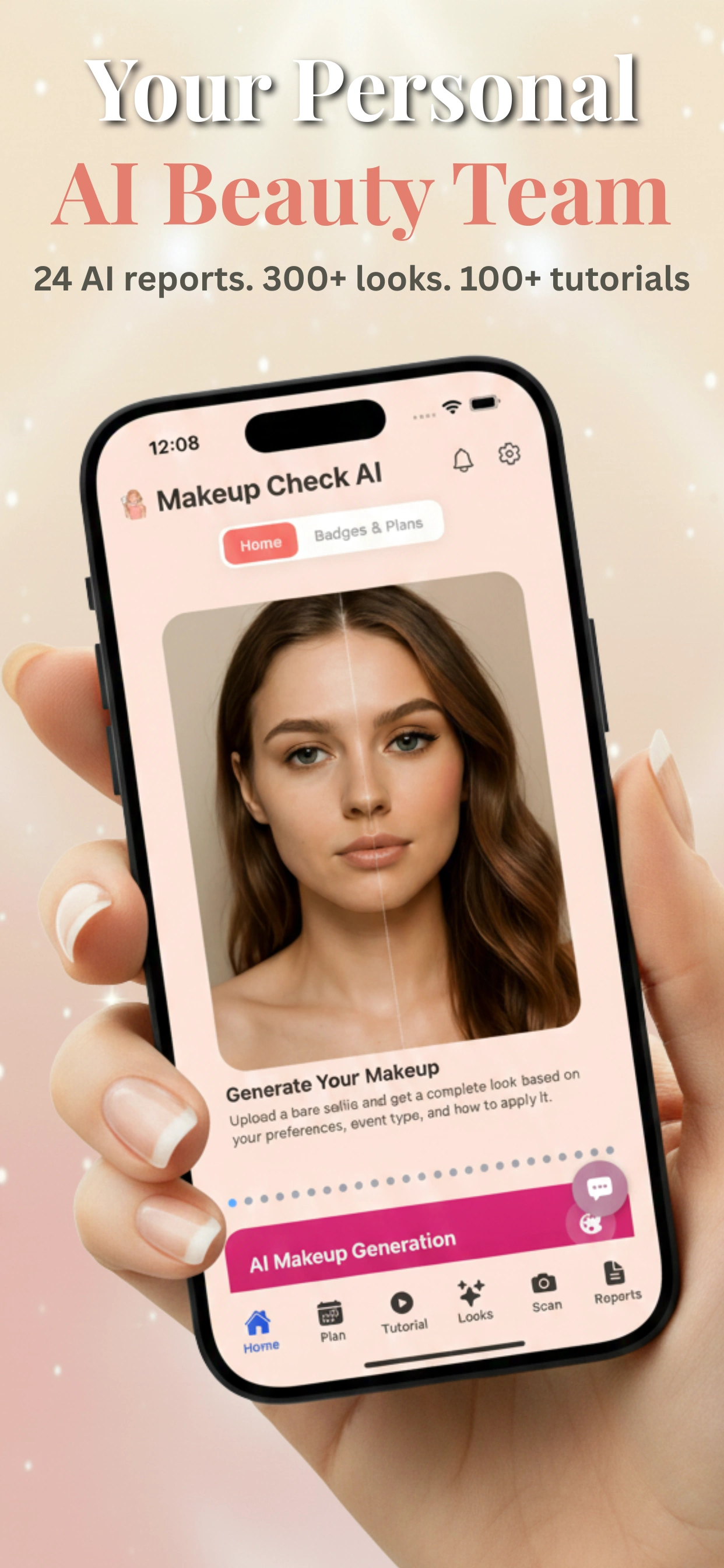
Some apps combine shade matching with AR beauty try-on technology to let you see how recommended shades might look on your face before buying. This hybrid approach can improve confidence in your purchase by combining color matching with visual confirmation.
For example, after your shade is identified, the app overlays the foundation virtually in real time, allowing you to assess coverage, finish, and color harmony from different angles.
Section 5: Virtual Try-On vs. Formula-Based Shade Matching
What Is Virtual Try-On?
Virtual try-on uses augmented reality (AR) to digitally apply makeup to your photo or live video feed, letting you preview foundation shades and other products in real time. This technology maps your facial features and skin tone, simulating how makeup products might appear on your skin.
Advantages and Limitations
- Pros: Immediate visual feedback; the ability to experiment with multiple looks quickly without purchasing or physically applying products. It can also help you visualize finishes like matte or dewy.
- Cons: Colors can be affected by your device’s screen calibration, lighting conditions during photo capture, and app algorithms, sometimes causing subtle mismatches. AR technology may have limitations with very dark or very light skin tones due to camera sensor constraints.
- Virtual try-ons typically don’t account for formula wear over time, oxidation, or skin texture, so the perceived color might differ from actual use.
Formula-Based Matching for Precision
Formula-based shade matching uses color science and skin analysis to recommend product shades based on your undertone, depth, and skin type. While it may lack instant visuals, it offers recommendations grounded in color analysis that can reduce guesswork and wasted purchases.
These recommendations may include formula specifics such as oil-free options for oily skin, hydrating formulas for dry skin, and finishes suited to your preferences.
Combining virtual try-on with formula-based matching, as seen in apps like AR Beauty Try On, can provide both visual confirmation and scientifically informed recommendations.
Section 6: Handling Oxidation, Lighting, and Testing Your Foundation
Why Does Foundation Oxidize Orange?
Oxidation occurs when foundation reacts with oils on your skin or environmental factors, sometimes causing it to darken or shift in tone after application. This chemical reaction can be influenced by the formula’s pigments, preservatives, and your individual skin chemistry.
Oxidation can make a foundation that initially matched well appear too dark or warm after several hours, which can be frustrating.
How to Test Foundation Shade at Home
- Apply a small amount on your jawline or neck rather than the hand. The jawline area is ideal because it matches your face and neck color, giving a seamless blend.
- Wait 15–30 minutes to observe any oxidation, as some foundations darken gradually.
- Check foundation in natural light to verify the true color and avoid artificial light biases.
- Test foundation with your usual skincare products underneath, as some ingredients (like vitamin C or acids) can interact and affect oxidation.
- Consider doing a patch test over multiple days to observe long-term wear and oxidation.
Choosing Formulas to Minimize Oxidation
Formulas with stable pigments, oil control ingredients, and antioxidants may oxidize less. Foundations labeled "non-oxidizing" or "longwear" often have formulations designed to resist color changes.
If oxidation is a persistent issue, some shade finders incorporate formula recommendations based on skin chemistry and user feedback on oxidation tendencies. Using a mattifying primer or blotting excess oils during the day can also help reduce oxidation by controlling skin surface oils.
Section 7: Matching Foundation with Other Face Products
Concealer Matching Tips
Concealers are often a shade lighter than your foundation to brighten under eyes or highlight areas. When using a foundation shade finder, look for tools that also recommend coordinating concealer shades to help ensure harmony.
Choosing a concealer that’s too light or too dark compared to your foundation can create unnatural contrasts, so AI-suggested shades can help balance your overall complexion.
BB Creams and Tinted Moisturizers
These products often have lighter coverage and different formulations, so matching is less exact but still important for a natural look. Shade finders may include these categories to help ensure cohesive color matching, especially as many users prefer lighter, more breathable options for daily wear.
Since these products often have added skincare benefits, consider your skin type and undertone when selecting them alongside your foundation.
Adjusting for Different Finishes
Matte, satin, and dewy finishes interact differently with light and skin tone. For example, dewy finishes can make skin look more radiant but may emphasize redness or uneven texture, while matte finishes can provide a smooth, shine-free look but might dull natural glow.
When selecting foundation via a shade finder, consider your finish preference to avoid a mismatch in how color appears on your skin. Some shade finders ask for finish preferences and suggest shades accordingly, which can be helpful for combination or aging skin.
Conclusion
Finding your foundation shade involves understanding your undertone and skin depth, using proper photographic techniques, and leveraging AI-powered foundation shade finders like Makeup Check AI to help select shades that complement your natural beauty. Considering your skin type, formula preferences, and the effects of oxidation can support a finish that suits your needs.
Whether switching brands, exploring new formulas, or updating your makeup routine, this approach can reduce guesswork and help you find suitable foundation matches.
FAQ
Q: How do I find my foundation shade online?
A: AI-powered foundation shade finders analyze your skin tone and undertone from photos taken in natural light. Many apps, including Makeup Check AI, offer tools to scan your face and recommend matches across brands by considering multiple facial points, undertones, and skin depth.
Q: What is my undertone for foundation?
A: Your undertone can be warm, cool, or neutral. You can find it by looking at your wrist veins, testing jewelry colors, or using online undertone tests. Knowing your undertone can help pick foundation shades that blend well and avoid ashy or orange tones.
Q: Which foundation shade is closest to my current one in another brand?
A: Many shade finder tools allow you to input your current foundation shade and provide cross-brand matches based on undertone and depth. This can save time and help avoid buying mismatched shades when switching brands or trying new formulas.
Q: Are online foundation shade finders accurate?
A: Accuracy depends on proper photo lighting, no filters, and the sophistication of the AI technology. Advanced tools like Makeup Check AI aim for high accuracy by analyzing multiple facial points, undertones, and skin types, often supported by user feedback and extensive databases.
Q: What lighting should I use for a foundation shade finder photo?
A: Use natural, indirect daylight without flash or filters. Avoid fluorescent or yellow indoor lighting to prevent color distortion. Taking photos near a north-facing window during the day is often ideal.
Q: What should I do if I am between two foundation shades?
A: Consider your skin’s seasonal changes and formula finish. Some apps suggest mixing shades or choosing one for summer and one for winter. You can also opt for a neutral undertone shade if you’re between warm and cool undertones. Testing samples or mini sizes can help you find the best match.