AI Undertone Detector: How to Find Your Perfect Makeup Match
Discover how the AI undertone detector identifies your skin undertone for flawless foundation and color choices—free, accurate, and easy to use.

Estimated reading time: 18 min
Key Takeaways
- AI undertone detectors offer a fast way to analyze skin undertones from selfies by using image processing and color science techniques.
- Understanding undertones (warm, cool, neutral, olive) can help guide makeup application, hair color choices, and wardrobe coordination to complement your natural complexion.
- Proper lighting and photo quality—such as natural daylight, high resolution, and minimal shadows—can improve AI detection accuracy and reliability.
- AI tools provide an alternative to manual undertone tests like vein or jewelry tests, aiming to offer consistent, objective, and personalized results.
- Use AI undertone results as a helpful guide for foundation matching, lipstick, hair color, and wardrobe selections to enhance your natural beauty and confidence.
Table of Contents
- Section 1: What is an AI Undertone Detector?
- Section 2: How AI Identifies Your Skin Undertone
- Section 3: Skin Tone vs Undertone – Understanding the Difference
- Section 4: Using Your Undertone for Makeup and Color Choices
- Section 5: How to Capture Photos for Accurate AI Detection
- Section 6: Comparing Manual Undertone Tests with AI Detection
- Conclusion
- FAQ
Section 1: What is an AI Undertone Detector?
Definition and Purpose
An AI undertone detector is a digital tool that applies artificial intelligence algorithms—often powered by machine learning and computer vision—to analyze a photo or selfie and estimate your skin's underlying undertone. These algorithms are typically trained on datasets representing diverse skin types, lighting conditions, and undertone categories, allowing the AI to identify color patterns that may be difficult to discern manually. Unlike traditional methods, which rely on subjective observation or manual tests with jewelry or veins, AI aims to provide an objective, data-driven approach to answering the common beauty question: "What is my undertone?" This technology can assist in selecting makeup shades, hair colors, and wardrobe palettes that harmonize with your natural complexion, potentially enhancing your overall appearance and confidence.
Why Undertones Matter in Beauty
Undertones are the subtle hues beneath the surface of your skin that influence how colors appear on you and how your skin reacts to various cosmetic products. They affect everything from the way foundation blends with your skin to how flattering certain lipstick shades or clothing colors appear. For example, a foundation matching only your skin tone but ignoring undertone can sometimes look unnatural—too pink, too yellow, or ashy. By understanding your undertone, you can better select products that complement your complexion and avoid mismatched colors that might dull your appearance. This knowledge supports a more personalized beauty routine that accentuates your natural glow and creates a cohesive look.
Benefits of AI-Powered Detection
- Speed: AI undertone detectors can deliver quick results from a single photo upload, reducing the need for lengthy consultations or trial-and-error shopping. This can be valuable for individuals seeking convenient advice at home.
- Accuracy: These tools use color analysis techniques to evaluate numerous pixel data points, aiming to reduce human error and guesswork common in do-it-yourself tests. AI may detect undertone nuances that are sometimes missed by manual observation.
- Convenience: There's no need for physical appointments, expensive color matching services, or multiple product returns. AI undertone detectors are often browser-based or integrated into mobile apps, allowing users to perform analyses anytime, anywhere.
- Free and accessible: Many AI undertone detection tools, such as Makeup Check AI, are available for free without requiring sign-up, making advanced beauty technology accessible to a broad audience.
- Personalization: Some AI platforms offer additional personalized recommendations beyond undertone detection, including foundation shade matches, seasonal color palettes, and makeup tutorials tailored to your unique skin characteristics.
Section 2: How AI Identifies Your Skin Undertone
Analyzing Color Data from Your Photo
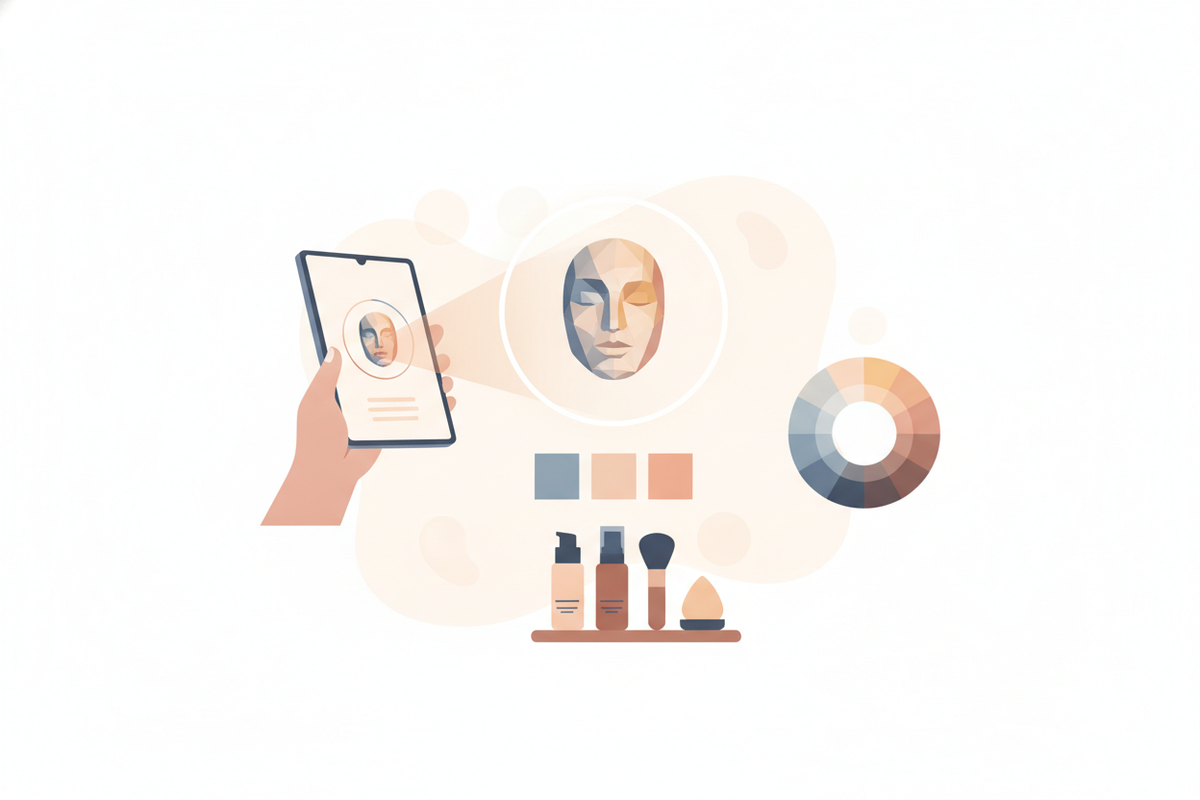
When you upload a photo, AI undertone detectors typically perform a multi-step image processing sequence. First, the system detects and isolates your facial skin pixels, filtering out background, hair, and shadows. It then analyzes the color composition of these pixels using color models like RGB (red, green, blue) and converts these values into more perceptually uniform spaces such as CIELAB, which better represent how humans perceive color differences. The AI algorithms evaluate subtle color variations beneath the skin's surface tone, adjusting for factors such as lighting conditions, camera settings, and skin texture. Advanced models use machine learning to compare your image against a database of labeled skin types, refining predictions with new inputs.
To compensate for uneven lighting, some systems employ normalization techniques or ask users to submit multiple photos under different lighting scenarios. This data fusion can enhance accuracy by minimizing the impact of shadows, glare, or color temperature inconsistencies.
Categories of Undertones Detected
Most AI tools classify undertones into four primary categories, each with distinct characteristics:
- Warm: Characterized by yellow, peachy, golden, or sometimes amber hues beneath the skin. People with warm undertones often find that gold jewelry complements their skin better and that earthy shades like terracotta or warm reds enhance their appearance.
- Cool: Defined by pink, red, or bluish hues. Cool undertones tend to be complemented by silver jewelry and colors like sapphire, emerald, and ruby, as well as blue-based reds and berry lipsticks.
- Neutral: A balanced mix of warm and cool undertones, making it one of the most versatile undertone categories. Neutral skin tones can typically wear a wide range of colors without clashing.
- Olive: Featuring greenish or grayish hues, olive undertones are common in medium to darker skin tones and can be challenging to classify using traditional methods. Olive undertones often look best with muted jewel tones, chartreuse, and certain shades of brown.
Some AI systems may further subdivide these categories or recognize mixed undertones, providing a more detailed analysis to better tailor recommendations.
Personal Color Season and Palette Recommendations
Beyond undertone classification, some AI detectors apply seasonal color theory, which groups skin undertones and tones into four seasonal palettes—spring, summer, autumn, and winter—each associated with a curated range of colors that harmonize with your natural coloring.
For example, an AI might determine you have a warm autumn undertone characterized by golden undertones and medium-depth skin. It would then recommend colors like burnt orange, olive green, mustard yellow, and warm browns for clothing and makeup. Conversely, a cool winter undertone might be paired with crisp blues, deep purples, and jewel tones like emerald or ruby.
This seasonal framework helps users build wardrobes and makeup collections that maximize their natural vibrancy and minimize clashes or dullness. Many AI platforms provide personalized digital palettes or suggest specific product shades aligned with your season, making shopping and styling more intuitive.
Section 3: Skin Tone vs Undertone – Understanding the Difference
What is Skin Tone?
Skin tone refers to the visible color or depth of your skin's surface, which varies widely across the human population. It is often categorized simply as light, medium, tan, or deep dark, but can be broken down into more specific groups such as fair, porcelain, olive, caramel, mocha, ebony, and so forth. Skin tone is dynamic and can change temporarily due to factors such as sun exposure (tanning), redness from irritation, or temporary pigmentation changes.
For example, someone with a naturally fair skin tone may develop a golden tan after sun exposure, altering the surface color but not necessarily the undertone beneath.
What is Undertone?
In contrast, undertone is the consistent hue beneath the surface of your skin. It generally remains stable regardless of tanning, redness, or skin conditions. Undertones influence how colors appear on you by affecting the way light interacts with your skin's underlying pigmentation.
Two individuals may share the same skin tone (e.g., medium) but have different undertones—one warm and golden, the other cool and pinkish—which will cause them to look better in different color palettes. Undertones can also influence how skin reacts to certain products or how it appears under different lighting.
Why Knowing Both Matters
Understanding both skin tone and undertone can be helpful for makeup application and color coordination:
- Foundation depth: Skin tone helps you select the right lightness or darkness of foundation to avoid stark contrasts.
- Foundation hue: Undertone guides the color base of the foundation—yellow, pink, neutral, or olive—to blend naturally.
- Blush and lipstick colors: Undertones determine which shades will complement your complexion without causing redness or dullness.
- Avoiding mismatches: Without this knowledge, makeup can look ashy, orange, or unnatural, and clothing choices may clash.
In summary, skin tone can be thought of as the "depth" layer, and undertone as the "color temperature" that together define your overall complexion profile.
Section 4: Using Your Undertone for Makeup and Color Choices
Foundation Shade Matching
Foundation formulas often label shades by undertone categories—warm, cool, or neutral—to help consumers select the best match. Once your undertone is identified by an AI undertone detector, you can more confidently choose foundations that blend seamlessly into your skin, helping to prevent common mismatches such as looking too orange or ashy.
Consider the following:
- Warm undertones: Choose foundations with yellow, golden, or peachy bases. These tend to neutralize redness and harmonize with golden skin hues. Brands like Fenty Beauty and MAC often label these shades as "warm" or "golden."
- Cool undertones: Opt for foundations with pink, red, or blue bases. These formulas can counterbalance sallowness or olive hues and brighten the complexion. Look for labels such as "cool" or "rosy."
- Neutral undertones: A balanced mix of warm and cool undertones; foundations labeled "neutral" or "beige" typically work well. These shades provide versatility and suit a wide range of skin tones.
- Olive undertones: Seek foundations formulated to neutralize greenish or grayish hues. Some brands have specific "olive" ranges or recommend mixing shades to achieve a better match.
Many brands offer online shade matching tools or virtual try-ons, but AI undertone detection can help by providing a personalized recommendation based on your unique skin data.
Lipstick and Blush Selection
Once your undertone is known, choosing lipsticks and blush colors can become more intuitive, potentially minimizing trial and error:
- Warm undertones: Coral, peach, warm reds, terra cotta, and orange-based shades often complement warm complexions by enhancing natural warmth.
- Cool undertones: Berry, plum, mauve, blue-based reds, and fuchsia shades tend to work well, adding brightness and contrast without clashing.
- Neutral undertones: Versatile shades from both warm and cool palettes, including soft pinks, roses, and muted reds, tend to be flattering.
- Olive undertones: Earthy tones like brick red, warm plum, and deep rose often enhance olive skin, balancing greenish hues.
For blush, warm undertones pair well with apricot and coral shades, while cool undertones look best with soft pinks and berries. Neutral undertones can experiment with a broader blush spectrum.
Hair Color and Wardrobe
Knowing your undertone can also help when selecting hair colors and clothing:
- Hair color: Warm undertones are often complemented by rich golden blondes, warm browns, copper, and auburn shades. Cool undertones may suit ash blondes, cool brunettes, platinum, and blue-black hues. Neutral undertones offer flexibility, often suiting both warm and cool hair colors. Olive undertones may benefit from muted or neutral hair shades that avoid overly warm or cool extremes.
- Wardrobe colors: Warm undertones harmonize with earthy and autumnal colors—mustard, burnt orange, olive green, warm reds, and brown. Cool undertones often look good in jewel tones like sapphire, emerald, amethyst, as well as icy pastels and true black or white. Neutral undertones can wear a wide range of colors but often look best in soft, subdued shades. Olive undertones pair well with muted jewel tones, slate gray, and certain greens.
By aligning hair and wardrobe colors with your undertone, you can create a cohesive, flattering appearance that enhances your natural features.
Section 5: How to Capture Photos for Accurate AI Detection
Ideal Lighting Conditions
Lighting is one of the most critical factors influencing AI undertone detection accuracy. Poor lighting can distort natural skin color and introduce shadows or color casts that confuse the AI. For optimal results:
- Natural daylight: Use indirect natural light, ideally near a north-facing window or in shaded outdoor areas. Direct sunlight can cause harsh shadows and overexposure, while indoor artificial lighting often alters color temperature.
- Avoid mixed lighting: Ensure no combination of warm (incandescent) and cool (fluorescent or LED) lights is present, as this can skew color perception.
- No colored lighting: Avoid colored bulbs, filters, or lamps that tint your skin in photos.
- Even lighting: Aim for uniform lighting across your face to prevent shadows, which may cause misclassification.
Photo Composition Tips
To ensure the AI receives the clearest data possible:
- Use a front-facing selfie: Capture your entire face, including the forehead, cheeks, nose, and jawline, to provide a comprehensive skin sample.
- Clean skin: Remove heavy makeup or skincare products that might alter skin color or texture. Minimal or no makeup helps the AI assess your natural undertone more accurately.
- Remove accessories: Take off glasses, hats, or jewelry that might cast shadows or create color reflections on your face.
- Neutral expression: Avoid facial tension or exaggerated expressions that could change skin tone appearance due to muscle movement or flushing.
- Background: Use a plain, neutral background to avoid color contamination in the image.
Technical Quality
Photo quality also impacts AI analysis:
- High resolution: Use a smartphone or camera with at least 8 megapixels; avoid pixelated or compressed images.
- Focus: Ensure your face is sharply in focus, with no blurring from movement or low light.
- File format: Use standard image formats like JPEG or PNG without heavy compression.
By following these guidelines, you can help the AI undertone detector perform precise color analysis, resulting in more reliable undertone identification.
Section 6: Comparing Manual Undertone Tests with AI Detection
Traditional Manual Tests
Before the rise of AI, determining undertones relied on several manual methods, each with varying degrees of reliability:
- Vein Test: Observing the color of veins on the underside of the wrist. Blue or purple veins typically indicate cool undertones, while greenish veins suggest warm undertones. Mixed or ambiguous colors can point to neutral or olive undertones. However, this test is subjective and can be influenced by skin thickness and lighting.
- Jewelry Test: Noting whether gold or silver jewelry complements your skin better. Gold tends to flatter warm undertones, silver suits cool undertones, and those with neutral undertones can look good in both.
- White Paper Test: Holding a pure white sheet of paper next to your face to compare skin contrast. If your skin looks yellowish by comparison, you likely have warm undertones; if it appears rosy or pink, cool undertones are probable.
- Clothing Color Test: Wearing different colored shirts and observing which hues make your skin look vibrant or washed out.
Limitations of Manual Methods
- Subjectivity: These tests depend heavily on personal perception and environmental factors, leading to inconsistent or inaccurate results.
- Lighting variability: Poor or artificial lighting can drastically affect the appearance of veins, skin, and jewelry reflections.
- Complex undertones: Olive or mixed undertones are often difficult to classify with these simple methods.
- Limited data: Manual tests rely on a few observations, whereas AI analyzes thousands of data points for precision.
- Time-consuming: Manual testing may require multiple trials, whereas AI provides instant feedback.
Advantages of AI Undertone Detectors
- Objective color analysis: AI uses thousands of pixel-level color samples and advanced algorithms to provide consistent, reproducible results without human bias.
- Detection of subtle undertones: AI can identify complex undertones such as olive or mixed tones that are challenging to assess manually.
- Instant results: Users receive immediate feedback, enabling quicker decision-making.
- Comprehensive beauty solutions: Many AI undertone detectors are integrated into apps offering foundation matching, personalized color palettes, and makeup tutorials, for example, Makeup Check AI, providing end-to-end style guidance.
- Scalability: AI tools can serve many users worldwide with consistent quality, unlike one-on-one consultations.
Conclusion
Understanding your skin's undertone can be helpful for choosing makeup, hair, and clothing colors that enhance your natural beauty and create a harmonious overall look. Using an AI undertone detector can streamline this process by offering fast, accessible analysis from a simple selfie. These tools aim to improve upon traditional manual tests by leveraging image processing, machine learning, and color science to detect warm, cool, neutral, or olive undertones and, in some cases, map your personal color season. For anyone looking to explore personalized beauty recommendations, AI-powered apps like Makeup Check AI may provide convenient and informative guidance to help find shade matches and style choices with greater confidence.
FAQ
Q: How do I find my undertone from a photo?
A: Upload a clear, front-facing selfie taken in natural, even lighting to an AI undertone detector like Makeup Check AI. The AI analyzes numerous pixel color data points in your skin to classify your undertone as warm, cool, neutral, or olive, aiming for an accurate result.
Q: Is AI undertone detection accurate?
A: AI undertone detectors use objective, data-driven color analysis that can often provide more consistent results than manual methods, especially when photos are taken under optimal lighting and technical conditions. However, photo quality remains important for best results.
Q: What is the difference between skin tone and undertone?
A: Skin tone is the visible surface color of your skin—light, medium, or dark—while undertone is the subtle, consistent hue beneath the skin—warm, cool, neutral, or olive—that influences which colors flatter you best.
Q: What undertone am I if my veins look blue, green, or mixed?
A: Blue veins usually indicate cool undertones, green veins suggest warm undertones, and mixed or bluish-green veins often signify neutral or olive undertones. Since this test is subjective, AI detection can provide a more reliable classification.
Q: Which foundation shade matches warm, cool, neutral, or olive undertones?
A: Warm undertones often match foundations with yellow or golden bases; cool undertones pair with pink or red bases; neutral undertones suit balanced formulas; olive undertones may require shades that neutralize green or gray hues for a natural look.
Q: How can I tell if I have a warm or cool undertone without using AI?
A: Traditional methods include the vein test, jewelry test, and white paper test, but these are subjective and can be affected by lighting and perception. AI tools offer more precise, objective analysis to identify undertones accurately.
Free to start
Try the Makeup Check AI app
Everything in this guide, in your pocket.
Get it on iPhoneGet it on Android