Where to Start? Your Step-by-Step Guide to the Makeup Check AI App
Wondering where to start with Makeup Check AI? Discover the best steps for beginners, setup essentials, and expert tips for your personalized beauty journey.

Estimated reading time: 13 min
Key Takeaways
- Understand exactly where to start with Makeup Check AI for a seamless beauty journey.
- Learn beginner-friendly steps, from setup to personalized makeup and skincare routines.
- Discover common mistakes to avoid and how to make the most of AI-powered beauty tools.
- Access curated tutorials, daily routines, and expert tips for long-term transformation.
- Get answers to the top beginner questions about starting your journey with Makeup Check AI.
Table of Contents
- Section 1: Where to Start? The Essential First Steps
- Section 2: Setting Yourself Up for Success
- Section 3: How to Choose What to Try First
- Section 4: Building a Beginner-Friendly Beauty Plan
- Section 5: Common Mistakes to Avoid When Starting
- Section 6: Tools, Resources, and Tutorials for Beginners
- Conclusion
- FAQ
Section 1: Where to Start? The Essential First Steps
Understanding Your Starting Point
When you first open the Makeup Check AI app, the question "where to start?" is more than just a prompt—it's the foundation for your personalized beauty journey. Whether you're a total beginner or simply new to AI-powered beauty, the first step is always about self-assessment and goal setting. The app's onboarding process is designed to make this intuitive, but understanding why it matters will help you unlock its full potential.
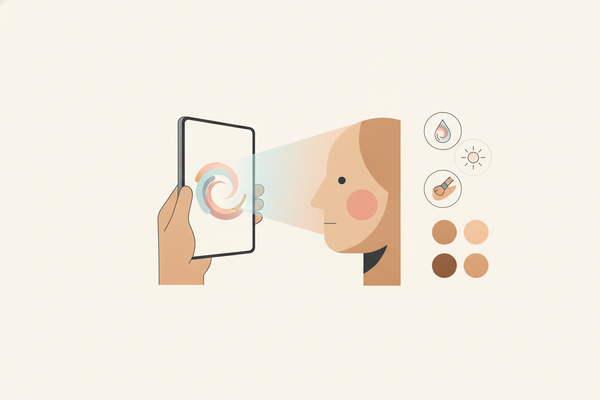
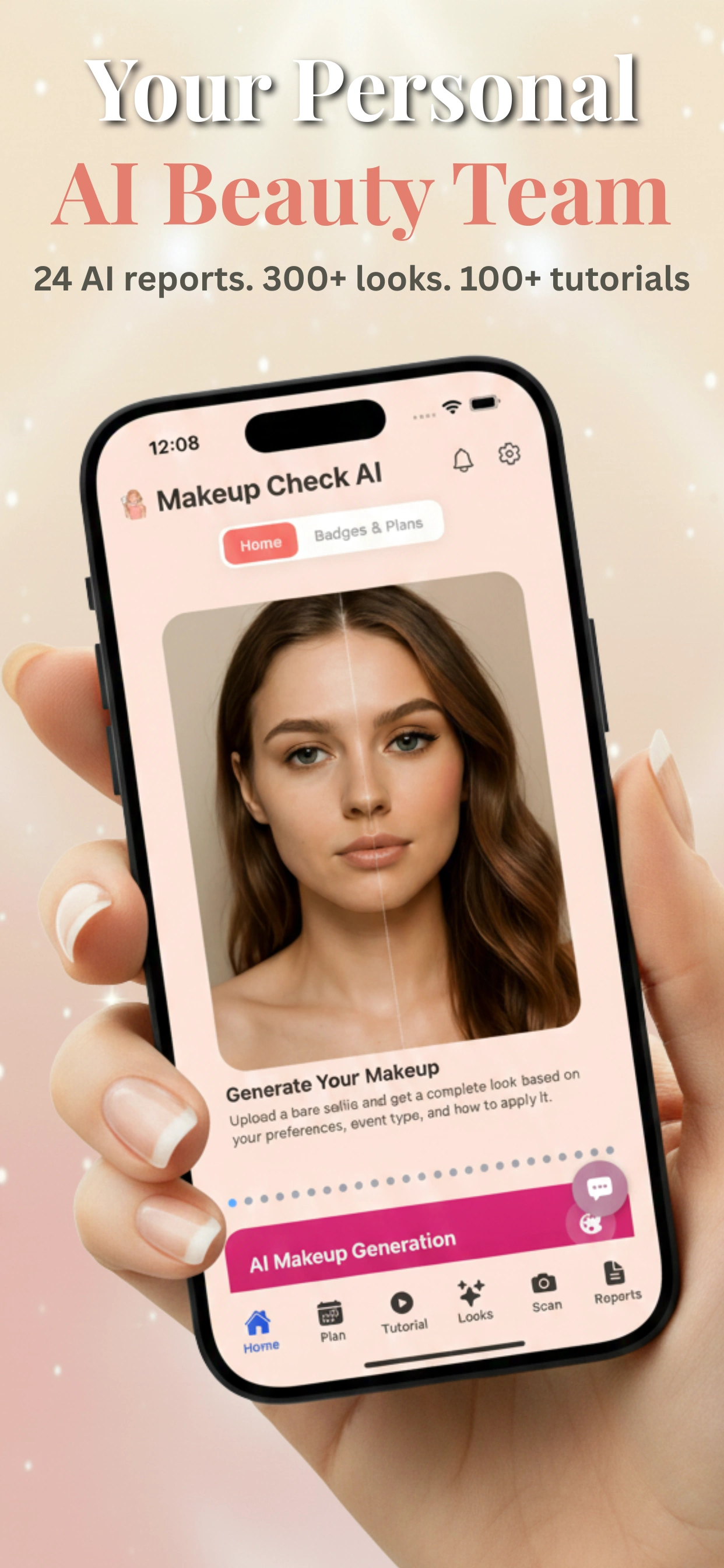
- Scan your face: The app uses a quick selfie to analyze your skin, features, and current makeup habits. The scanning process leverages computer vision algorithms to detect over 65 facial landmarks, assess skin tone, texture, and even subtle asymmetries. This automated analysis is usually complete in less than 30 seconds.
- Set your beauty goals: Select areas you want to improve or explore—makeup, skincare, hair, or even fashion. Options range from "mastering natural looks" to "solving persistent dryness" or "discovering my color palette." You can specify up to three focus areas for the AI to prioritize.
- AI-powered baseline: Receive your first set of 24 reports, including color season analysis, skin health, facial features mapping, and style suggestions. Each report contains actionable insights—such as your undertone (cool, warm, neutral), hydration levels, and best eyebrow shape for your face.
Why Start With Analysis?
Jumping straight into tutorials or looks can be tempting, but personalized analysis ensures every recommendation matches your unique needs. Makeup Check AI’s advanced reports reveal not just what looks good on you, but also why—from undertones to facial symmetry. This approach is modeled after professional makeup artists and dermatologists who always assess before planning any look or regimen. For instance, an AI skin health report might flag early signs of dehydration or sun damage you hadn't noticed, helping you proactively adjust your routine.
Example: A Simple First Session
- Open the app and take your initial scan. Hold your phone at eye level and ensure your face is evenly lit. The app will prompt you to turn slightly left and right to capture your full facial structure.
- Review the AI-generated reports, paying special attention to color season and skin health. For example, if your skin health score is below 70/100, the app will highlight hydration or protection as a priority. Color season analysis will recommend specific palettes—"Deep Autumn" or "Cool Summer"—with examples of flattering shades.
- Set a micro-goal, such as “find my best everyday lipstick shade.” Micro-goals are encouraged in the app to keep learning manageable and rewarding. You can select from AI-suggested goals or write your own.
These foundational steps are critical for making informed beauty decisions from the start. For more on the technology behind this personalized approach, check out Makeup AI: Revolutionizing Beauty with Personalized Technology.
Section 2: Setting Yourself Up for Success
Beginner Prerequisites: What You Need (and Don’t Need)
You don’t need a full makeup kit or a professional background to get started. All you really need is:
- Your smartphone or tablet with a camera. Both iOS and Android devices are supported. A minimum 8MP camera is recommended for the most accurate scan, but most modern phones suffice.
- Decent lighting (natural light is best for your first scan). Soft daylight from a window works best. If using artificial light, opt for a ring light or LED panel set to a neutral white (4000–5000K).
- An open mind—ready to try new things! The app is designed to be nonjudgmental and supportive, so don’t worry if you’re unsure where to start. Many beginners are surprised at how quickly they gain confidence.
Makeup Check AI is designed for all skill levels. If you’re a beginner, take comfort knowing the app guides you step by step, with no prior knowledge required. There’s no pressure to buy new products immediately—the focus is on learning and self-discovery first.
Account Setup and Customization
- Create your profile: Add your age, skin type, hair color, and current makeup habits for tailored advice. The app uses this data to calibrate its recommendations—e.g., it won’t suggest retinol if you’re under 18 or heavy contouring for those who prefer a natural look.
- Privacy and data: The app uses advanced encryption and never shares your data without consent. All facial scans are stored locally unless you choose to back them up. You can opt out of data sharing at any time under Settings.
- Notification preferences: Set reminders for daily routines or tutorials to keep your progress on track. Choose between subtle push notifications, in-app banners, or daily digests sent to your email. You can snooze or adjust reminders at any time.
Environment Optimization for Best Results
For accurate AI analysis, make sure:
- Your face is clean and makeup-free for the initial scan. Avoid heavy moisturizers or SPF that leave a white cast as they can affect skin tone analysis.
- Lighting is even; avoid harsh shadows or bright overhead lights. Stand about two feet from your light source and position the camera at eye level.
- You follow any app prompts to adjust camera angle or position. The app may request you to smile, relax, or close your eyes briefly for different analysis modules (e.g., wrinkle detection or brow mapping).
These simple setup steps ensure that Makeup Check AI provides the most accurate and actionable insights from the start. For more setup tips, see AI Makeup App: The Ultimate Guide to Smarter Beauty Routines.
Section 3: How to Choose What to Try First
Prioritizing Your Beauty Goals
Deciding where to start within the app can feel overwhelming given the breadth of features. Here’s how to make a confident choice:
- Review AI recommendations: After your scan, the app highlights your top opportunity areas—maybe it’s hydration, brow shape, or foundation matching. For example, if the AI notes excess redness, it might suggest color-correcting techniques before foundation. If it detects strong jawlines, it will recommend contouring tutorials specific to your face shape.
- Set one focus area: Beginners see the best results by mastering one skill or routine before moving on. For instance, you might focus on achieving a flawless base before experimenting with bold eye looks. The app’s journey tracker helps you visualize progress in each area.
- Consider your lifestyle: If you’re busy, start with quick wins like “5-minute natural looks” or “morning skincare routines.” If you have sensitive skin, prioritize recommendations that avoid common irritants and focus on gentle products. The app adapts its suggestions to your time commitment and sensitivity profile.
Sample Beginner Paths
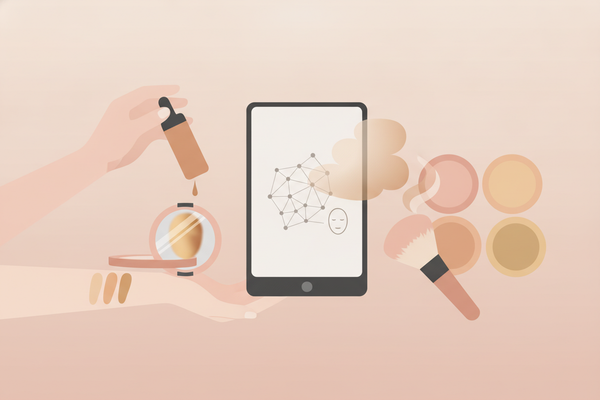
- Makeup newbies: Try the “Bare Essentials” routine, focusing on skin prep and a natural finish. This includes a hydrating primer, lightweight foundation or BB cream, mascara, and tinted lip balm. The app provides step-by-step guidance and suggests affordable starter products already in your collection.
- Skincare first-timers: Use the personalized skincare report to build a basic routine: cleanse, moisturize, protect. The AI will flag if you’re missing key steps (like sunscreen) and recommend suitable drugstore or luxury options based on your budget and preferences.
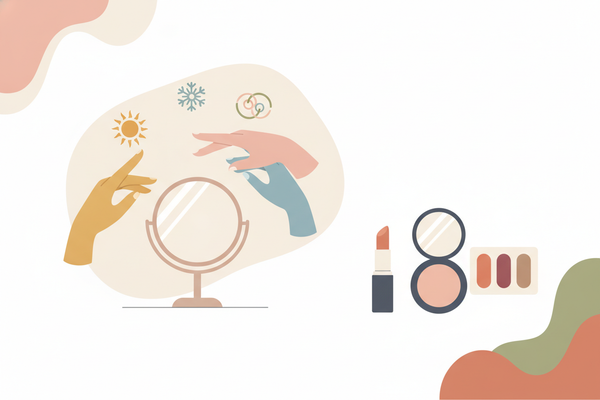
- Curious about colors: Explore color-season analysis to discover which palettes suit you best; try the Free Color Analysis feature. The app will show side-by-side comparisons of you in different blush, lip, and shadow tones, so you can see which shades make your complexion pop.
Let the AI Assistant Guide You
Makeup Check AI’s 24/7 chat assistant is there to answer questions and recommend the next step based on your progress. Unsure if you should try a bold look or stick with basics? Just ask the AI—it learns your preferences as you go. For example, if you repeatedly ask about natural looks, the assistant will prioritize minimal, fresh-faced tutorials and nudge you to explore more advanced content only when you’re ready.
Section 4: Building a Beginner-Friendly Beauty Plan
Structuring Your Routine for Success
Consistency is key in beauty. Makeup Check AI helps you create a personalized plan that grows with you. Beginners should start with:
- Daily skincare basics: Cleanse, moisturize, apply SPF. The app delivers reminders and tracks your adherence. For example, you can set up streaks and receive badges for completing routines several days in a row, turning learning into a motivating game.
- Foundational makeup skills: Tutorials on primer, foundation, concealer, and blush placement—customized for your face shape. The app uses your facial mapping data to recommend exactly where to place blush or highlight, with on-screen overlays and AR guidance if desired.
- Weekly experiments: Try one new look or product each week, using the app’s virtual try-on and tutorial features. You can schedule “experiment days” and receive suggestions based on trending styles or your personal progress—like trying a winged eyeliner if you’ve mastered mascara.
Using Reports to Guide Your Plan
Makeup Check AI’s AI-powered reports act as your roadmap. For example:
- If your skin analysis suggests dehydration, focus on hydration in both skincare and makeup. The app may recommend hyaluronic acid serums, water-based foundations, and setting sprays with humectants. You’ll also get reminders to drink more water and tips to avoid dehydrating ingredients like alcohol.
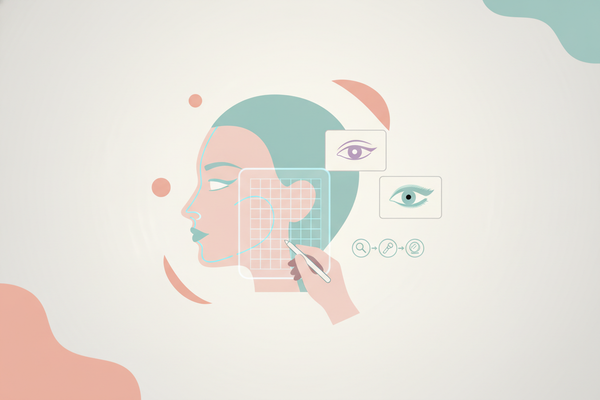
- If your facial mapping highlights strong cheekbones, try tutorials on contouring and blush for your face shape. The app provides diagrams and even overlays on your selfie, showing exactly where to apply each product for the most flattering effect.
- Style reports can guide hair and accessory choices to complement your makeup looks. For example, if your analysis suggests you’re a “Soft Autumn,” you’ll see recommendations for hair colors, eyewear, and jewelry metals (like gold vs. silver) that enhance your unique features.
Tracking Progress and Making Adjustments
- Upload before/after photos to visualize your transformation. The app’s timeline feature helps you see subtle improvements in skin clarity, makeup skill, or style confidence over days, weeks, or months.
- Use the app’s daily and weekly check-ins to adjust your plan based on results and feedback from the AI assistant. For instance, if you skip SPF several days in a row, the AI may suggest switching products or integrating SPF into a tinted moisturizer for convenience.
- Engage with the community for support and inspiration. The app’s chat and social features let you share progress, ask questions, and join challenges designed for beginners—like “7 days of new looks” or “one-take eyeliner.”
By following a structured plan, beginners build confidence and skills quickly, avoiding the overwhelm of trying too much at once. The app’s progress tracking helps you celebrate small wins, reinforcing positive habits that lead to long-term transformation.
Section 5: Common Mistakes to Avoid When Starting
Rushing the Process
The most frequent beginner mistake is trying to master everything immediately. The result? Frustration and inconsistent results. Instead:
- Start small. Focus on one feature or area at a time. For example, spend a week perfecting your base before moving to eyeshadow or brows. The app’s milestone tracker helps you break big goals into bite-sized steps.
- Let the AI guide you, trusting its tailored recommendations. If you’re tempted to try advanced techniques too soon, the assistant will gently nudge you back to foundational content.
Skipping the Initial Analysis
Many users jump straight to virtual try-ons or tutorials without completing the initial face scan or reviewing the first reports. This prevents the app from offering truly personalized advice. Always begin with the AI analysis for best results. Skipping this step can lead to mismatched foundation shades, ineffective skincare, or looks that don’t suit your features.
Ignoring Your Unique Features
Copying trends or popular looks without considering your own facial structure, coloring, or lifestyle can lead to disappointing outcomes. Makeup Check AI’s reports highlight your strengths, so use them! For example, if you have hooded eyes, the app will suggest eyeshadow placements that open up your gaze, instead of generic tutorials.
- Be wary of "one-size-fits-all" tutorials found elsewhere; the app tailors everything to you. Each tutorial in Makeup Check AI is annotated with your face shape, skin needs, and personal preferences.
- Check product compatibility, especially if you have sensitive skin or allergies. The app can filter product suggestions based on your ingredient sensitivities or ethical preferences (cruelty-free, vegan, etc.).
Example: Avoiding Product Overload
- Stick to the app’s “starter kit” recommendations before buying new products. For example, you may only need a gentle cleanser, basic moisturizer, BB cream, mascara, and a nude lipstick to get started. The AI will suggest dupes or budget-friendly options already in your local stores.
- Leverage the budget optimizer report to prioritize purchases. The app ranks products by impact and cost, so you can invest in what will truly make a difference—like a well-matched foundation or high-SPF sunscreen—instead of buying every trending item at once.
Section 6: Tools, Resources, and Tutorials for Beginners
Core App Features for Getting Started
Makeup Check AI offers a comprehensive suite of tools that simplify the beginner’s journey. Key features include:
- Virtual Try-On: Experiment with 300+ makeup looks on your own face before applying anything physically. The virtual try-on uses augmented reality to map products onto your features in real time, letting you compare classic, trendy, and seasonal looks side by side. You can save favorites to your lookbook for future reference.
- Step-by-step Tutorials: Over 100 video guides, ranging from basic techniques to advanced artistry. The app provides real-time feedback on your technique. For example, it can detect if your eyeliner is uneven and offer corrective tips, or show you how to blend foundation for a seamless finish.
- AI-Powered Reports: Detailed insights on your skin, color seasons, facial features, hair, accessories, and more. Each report includes actionable steps—like product swaps, hydration reminders, or new application methods—so you’re never left wondering what to do next.
- Personalized Reminders: Stay on track with daily and weekly notifications to build consistent habits. You can customize frequency, timing, and even the tone of reminders—from motivational quotes to practical checklists.
Leveraging the 24/7 AI Beauty Assistant
Your AI beauty coach is available at any time to troubleshoot, answer questions, or suggest new routines. If you're ever unsure where to go next, just start a chat for instant, tailored guidance. The assistant can review your photos, analyze your progress, and recommend specific tutorials or product swaps. If you encounter a problem—like cakey foundation or smudged mascara—the AI will diagnose common causes and walk you through solutions step by step.
Sample Starter Routine
- Morning: Use the skincare report for a personalized cleanse-moisturize-protect routine. The app will list recommended products and the exact order to apply them, factoring in your skin type and the current weather/season in your area.
- Midday: Try a quick, natural makeup look using the app’s recommendations. For example, the app might suggest a tinted moisturizer, cream blush, brow gel, and lip tint for a "no-makeup makeup" effect that takes less than five minutes.
- Evening: Follow a guided tutorial, such as “How to Perfect Your Eyeliner.” The app will provide checkpoints and feedback as you go, highlighting areas for improvement and celebrating your progress with virtual badges or rewards.
For more inspiration and advanced use-cases, read AI Makeup: The Future of Personalized Beauty Routines.
Conclusion
Starting your beauty journey can feel daunting, but with the right approach—and the right tools—it becomes empowering and fun. Makeup Check AI takes the guesswork out of where to start, guiding you step by step with AI-powered analysis, personalized routines, and interactive tutorials. By focusing on foundational skills, avoiding common pitfalls, and leveraging smart resources, you’ll build confidence and see results, even as a complete beginner. With community support, real-time feedback, and a plan tailored to your goals, you can transform your daily routine and discover your best self. Ready to begin? Download the app and let Makeup Check AI become your complete AI beauty team.
FAQ
Q: What is the first thing I should do when starting?
A: Begin with a clean face scan in Makeup Check AI. This creates a personalized baseline report, ensuring all recommendations match your unique features and needs.
Q: How do I decide where to start within the app?
A: Review the AI-powered reports after your scan. Focus on one area—like skincare basics or a natural makeup look—based on your top recommendations and personal goals.
Q: What should a beginner do first before trying makeup looks?
A: Start with skincare analysis and the beginner tutorials. Building a solid skincare foundation and learning basic techniques sets you up for success when exploring new looks.
Q: What is the easiest way to get started with Makeup Check AI?
A: Follow the app’s onboarding prompts, complete your profile, and use the 24/7 AI assistant for guidance. Try a simple virtual look or step-by-step tutorial to build confidence.
Q: What are the most common mistakes when starting?
A: The biggest mistakes are skipping the initial analysis, trying to do too much at once, and ignoring personalized recommendations. Take it step by step and use the app’s tailored advice for best results.