Virtual Events Makeup: Essential Tips and Tutorial
Discover virtual events makeup techniques and screen ready makeup tips to enhance your online presence with our step-by-step tutorial.

Estimated reading time: 8 minutes
Key Takeaways
- Skin Prep Is Crucial: Cleanse, tone, moisturize, and prime for a smooth, camera-friendly base.
- Light & Tech Matter: Adjust products and lighting to help avoid flashback, glare, or color shifts.
- Focus on Features: Define eyes, contour strategically, and choose matte/satin finishes.
- Follow a Step-by-Step Routine: From base to lips, use tested methods to help ensure consistency on-screen.
- On-the-Go Fixes: Keep blotting papers, mini concealer, and setting spray for mid-call touch-ups.
Table of Contents
- Understanding the Virtual Events Makeup Landscape
- Prepping Your Canvas: Skin and Base
- Enhancing Features for the Camera
- Step-by-Step Online Meeting Makeup Tutorial
- Troubleshooting and Pro Tips
- Special Considerations for Virtual Events Makeup
- Product Recommendations and Tools
- Makeup Check AI: AI-Powered Confidence
- Conclusion
- Additional Resources
Understanding the Virtual Events Makeup Landscape
Virtual events makeup continues to evolve as digital interactions become increasingly common. The way we approach color, coverage, and contouring should consider advances in webcam technology, lighting setups, and screen resolutions.
Why On-Camera Makeup Differs
- First impressions often form primarily through a digital lens rather than face-to-face.
- Lighting conditions—whether natural, ring lights, or LED panels—can affect how skin texture and color appear.
- While higher resolution webcams reveal more detail, lower-end cameras may blur finer makeup work.
- Different devices and screens (phones, tablets, monitors) can shift perceived color and contrast, requiring adaptable makeup techniques.
Digital Technology’s Influence
- Lighting: Modern LED ring lights with adjustable temperature and brightness are common; improper settings can cause unwanted glare or washout.
- Webcam Quality: Many laptops feature HD or higher resolution cameras, highlighting the benefit of careful application.
- Screen Resolution & Color Profiles: Newer displays with HDR capabilities may affect how makeup colors appear, making real-time testing helpful.
- Adapting your makeup products and application techniques to these variables can help achieve a polished, natural look on any device.
Insights from recent Virtual Makeup Classes and professional online tutorials have contributed to these updated best practices.
Prepping Your Canvas: Skin and Base
Achieving a smooth, hydrated base remains foundational for camera-ready makeup.
Skin Preparation
- Cleanse thoroughly to remove excess oils, pollutants, and residues.
- Tone with gentle, alcohol-free formulas that help restore skin’s pH balance without irritation.
- Moisturize using lightweight, fast-absorbing hydrating products enriched with humectants like hyaluronic acid.
- Prime with silicone-based primers that offer pore-blurring and shine control, optimized for high-definition lighting.
Screen Ready Base Products
- Primer: Choose multi-benefit primers with light-diffusing technology to create a soft-focus effect under bright studio or LED lights.
- Foundation: Select medium coverage foundations with natural, skin-like finishes; consider avoiding high-SPF formulas to reduce the risk of camera flashback.
- Concealer: Apply thin, buildable layers under eyes and on blemishes; blend seamlessly using damp sponges or brushes.
Product Recommendations
- LAWLESS Forget the Filler Moisturizer + Primer (2026 formula update with enhanced hydration)
- Milk Makeup Hydro Grip Set + Refresh Spray (formulated for extended wear and moisture retention)
- Future Fluid Creamy Hydrating Concealer (new shades added for diverse skin tones)
Pro Tip: Performing a quick video test call can help evaluate how your base products perform under your specific lighting and webcam setup.
Enhancing Features for the Camera
Defining your eyes, cheekbones, and lips is important to stand out clearly on screen.
Eye Makeup Techniques
- Use matte or satin-finish eyeshadows to minimize unwanted reflections and glare.
- Apply a neutral matte shade on the lid; deepen the crease with soft brown or taupe hues for natural depth.
- Keep eyeliner thin and close to lash lines to subtly open the eyes without harsh lines.
- Use waterproof or long-wear mascaras formulated to resist smudging during long virtual sessions.
- Groom and fill brows using tinted gels or pencils designed for natural-looking fullness and shape.
Contouring and Highlighting
- Cream or stick contours are often preferred for seamless blending; use a damp sponge for a natural finish.
- Contour strategically under cheekbones, along the sides of the nose, and jawline to define without harshness.
- Highlight sparingly on high points such as cheekbones and brow bones to avoid glare on HD cameras.
Color Palette Choices
- Blush: Rosy, peach, or soft coral tones applied slightly lower on the apples of the cheeks and blended across the nose bridge create a fresh, healthy glow.
- Bronzer: Matte bronzers provide warmth and dimension without unwanted shine under bright lighting.
- Lips: Satin finishes, hydrating tinted balms, or modern long-wear lip tints add depth without appearing flat or overly glossy on camera.
These techniques draw from expert masterclasses such as the Boardroom Bully Masterclass, reflecting current trends and technology.
Step-by-Step Online Meeting Makeup Tutorial
- Prep: Cleanse, tone, moisturize, and prime your skin.
- Base: Apply medium-coverage foundation; blend thoroughly with a damp sponge. Use concealer to cover under-eye circles and blemishes.
- Set: Lightly dust translucent powder on the T-zone only if needed; avoid over-powdering to prevent dryness or flashback.
- Brows: Fill and shape brows with a pencil or powder matching your hair color; set with a clear or tinted gel.
- Eyes: Apply a neutral matte shade on lids, deepen crease with a soft brown, line close to lashes, and finish with waterproof mascara.
- Contour & Highlight: Blend cream contour under cheekbones and jawline; tap highlighter sparingly on cheekbones and brow bones.
- Blush: Apply blush on apples of cheeks and sweep toward temples for a natural flush.
- Lips: Lightly line lips and fill with satin lipstick or hydrating tint for a polished finish.
- Set & Refresh: Mist with a long-lasting setting spray; adjust lighting and camera angle as needed for best on-screen effect.
Quick Transition Tip: To switch from day to evening look during a call, deepen crease shadow, switch to a bold lip color, and reapply setting spray for lasting impact.
Troubleshooting and Pro Tips
- Use oil-absorbing blotting papers to manage shine without disturbing makeup.
- Adjust your bulb temperature or add a soft white lamp to help correct color distortions or harsh shadows.
- Conduct a brief video test call with your full makeup and lighting setup before going live.
- Consider using apps or software that simulate lighting conditions to preview your look in advance.
Special Considerations for Virtual Events Makeup
Lighting & Camera Angle
- Position your primary light source directly in front at eye level to minimize shadows.
- Add a fill light from below or side if under-eye shadows or uneven lighting appear.
- Sit slightly farther from the camera (about 2–3 feet) to soften skin texture and reduce pixelation.
Makeup Testing
- Record a 5-minute video on your usual device to observe how makeup performs in motion and different angles.
- Look for flashback, color shifts, patchy powder, or areas that appear too shiny or flat.
- Make adjustments to products or application techniques before your session starts.
On-the-Go Touch-Ups
- Keep blotting papers and compact powder within reach for quick shine control.
- Carry a mini concealer stick or pot and your lip product for instant fixes.
- Store a travel-size setting spray to refresh makeup mid-call without disrupting your look.
Product Recommendations and Tools
- Multi-Use Products:
Milk Makeup Hydro Grip Set + Refresh Spray; bareMinerals Gen Nude Blonzer (updated 2026 formula for enhanced blendability); Future Fluid Concealer with broader shade range. - Tools:
High-quality synthetic brushes for precision, a dense blending sponge for base application, and a small angled brush for detailed work like brows and eyeliner.
These essentials offer long wear, dual skincare benefits, and travel-friendly formats optimized for virtual event demands.
Makeup Check AI: AI-Powered Confidence for Your Virtual Look
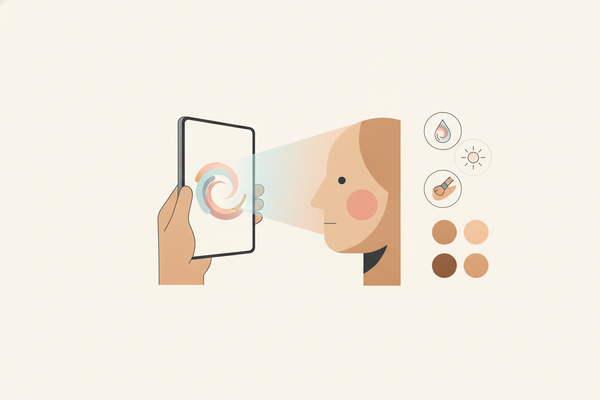
Enhance your on-screen makeup routine using Makeup Check AI, updated with current AI algorithms. It analyzes your camera setup, lighting, and skin tone to suggest personalized product adjustments and application tips for a polished virtual presence.
Conclusion: Embrace Virtual Events Makeup
Virtual events makeup helps ensure your appearance translates authentically on screen—from accurate color representation to balanced coverage and texture. This tutorial offers practical, tech-savvy steps—from skin prep to emergency touch-ups—to look confident and polished in digital gatherings. Experiment with these techniques, adapt to your unique environment, and develop your own winning formula.
Additional Resources
FAQ
- How can I prevent flashback on camera?
Opt for low-SPF or SPF-free foundations and matte powders; always test your makeup under your lighting setup before live sessions. - What if my webcam distorts color?
Adjust your light temperature, use neutral-balanced bulbs, and rely on matte products to help maintain true-to-life shades on screen. - Can I use cream products for virtual events?
Yes—cream contours and blushes blend well and can look natural under HD and 4K cameras; set lightly with translucent powder if needed to control shine. - How often should I touch up during long calls?
Every 1–2 hours: blot shine, reapply setting spray, and touch up concealer or powder as needed for a fresh appearance. - Do I need special tools for camera-ready makeup?
A quality blending sponge, synthetic brushes, and a small angled brush are sufficient for a polished, on-screen look.